How to Create an LXC Container in Proxmox VE: Step-by-Step Guide
Learn how to create an LXC container in Proxmox using the official web interface wizard. Containers are lightweight and ideal for web servers, DNS, and monitoring.
Prerequisites
Proxmox VE running on port 8006LXC template downloaded (e.g. ubuntu-22.04-standard)Storage space and vmbr0 network bridge
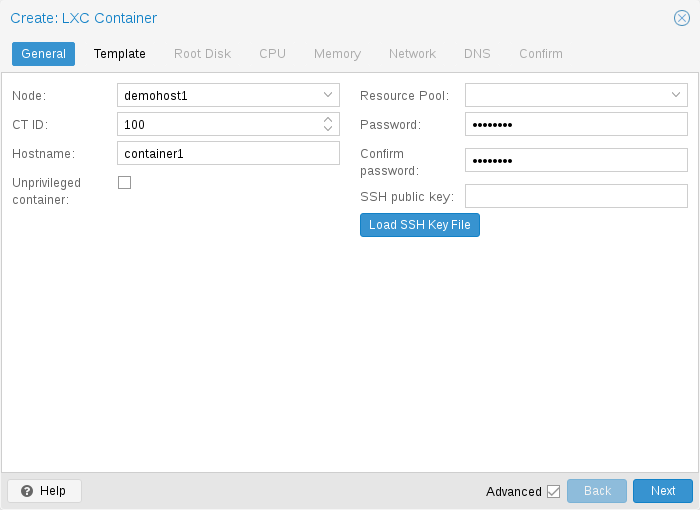
Step 1: Open Create CT Wizard — General Tab
Select your node, click Create CT. Set CT ID, hostname, and root password.
Create CT — General settings
Step 2: Select OS Template
On the Template tab, choose storage and template (e.g. ubuntu-22.04-standard).
Create CT — Template tab
Step 3: Configure Root Disk
Set root disk size and storage pool on the Disks tab.
Create CT — Root disk
Step 4: Set CPU and Memory
Assign CPU cores and memory for the container.
Create CT — Memory
Step 5: Configure N...