Monday, August 10GNOME IT SOLUTIONS LLC

Tag: proxmox vm

Install and Configure QEMU Guest Agent on Proxmox VMs

Install and Configure QEMU Guest Agent on Proxmox VMs

Proxmox
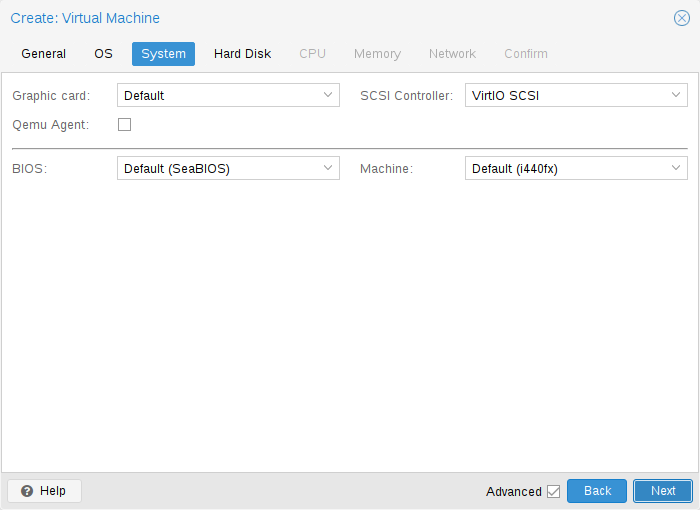
The QEMU Guest Agent enables clean shutdowns, IP reporting, and better backups. This guide uses the official Proxmox VM creation screens. Step 1: Enable Qemu Guest Agent During VM Creation On the System tab when creating or editing a VM, enable Qemu Guest Agent. Create VM — System tab with Guest Agent Step 2: Review VM Summary After Agent Is Running Once installed inside the guest, the Summary tab displays the VM IP address. VM Summary — guest IP visible Step 3: Verify Login and Management Access Access Proxmox web UI to confirm VM status and management options. Proxmox web management interface Install Guest Agent Inside Linux VM apt update && apt install qemu-guest-agent -y systemctl enable --now qemu-guest-agent systemctl status qemu-guest-agent Add Agent to Existing VM Shut down VM ...