Tuesday, August 11GNOME IT SOLUTIONS LLC

Tag: ubuntu firewall

UFW Firewall Basics: Secure Your Linux Server

UFW Firewall Basics: Secure Your Linux Server

Linux
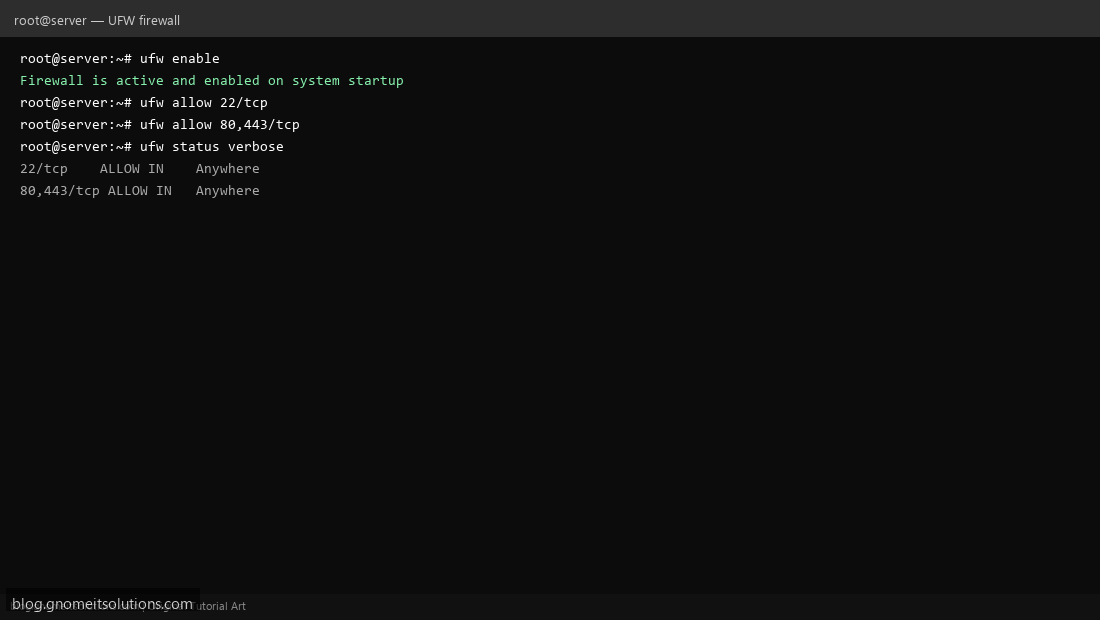
Secure your Linux server with the UFW firewall — simple and effective on Ubuntu/Debian. Step 1: Enable UFW Run ufw enable to activate the firewall. Default deny incoming, allow outgoing. Step 1: Enable UFW Step 2: Allow Required Ports Allow SSH before enabling: ufw allow 22/tcp. Then allow web: ufw allow 80,443/tcp. Step 2: Allow Required Ports Step 3: Check Firewall Status Run ufw status verbose to verify active rules. Step 3: Check Firewall Status ufw deny from 203.0.113.0/24 ufw reset # caution: removes all rules Terminal screenshots are original illustrations created for Gnome IT Solutions (blog.gnomeitsolutions.com).