Fix Proxmox “No Subscription” Repository (Community Updates)
Configure Proxmox no-subscription repository for free homelab updates.
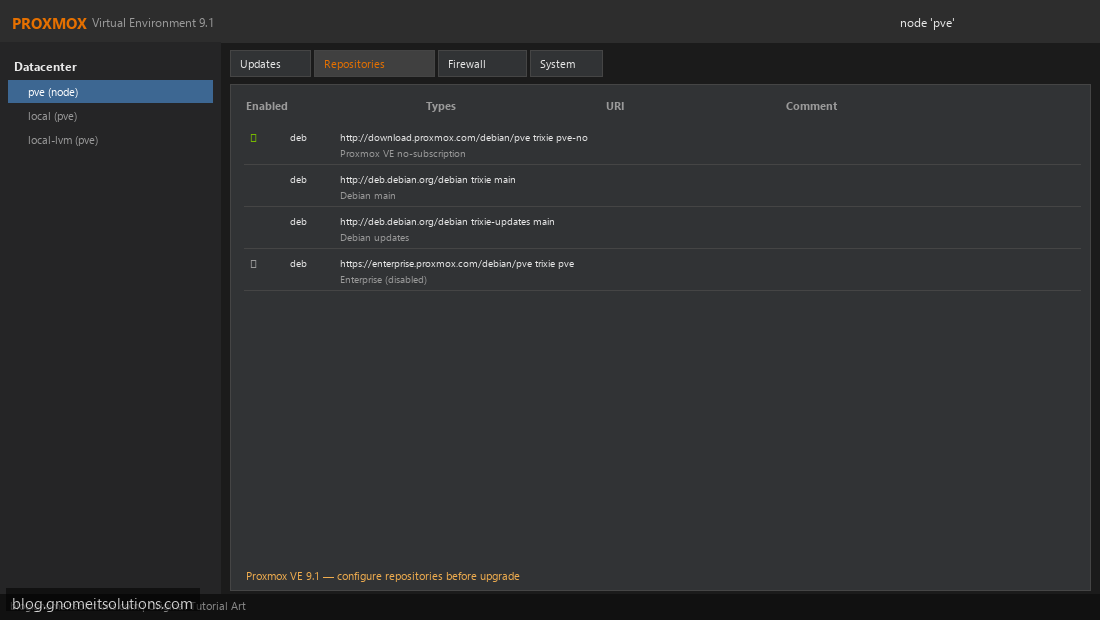
Step 1: View Repositories
Node → Updates → Repositories tab.
View repositories
Step 2: Disable Enterprise Repository
Disable pve-enterprise. Enable pve-no-subscription.
Disable enterprise repo
Step 3: Run System Updates
Updates tab → Refresh → review packages → upgrade.
Review available updates
apt update && apt dist-upgrade
Image credits: All screenshots are original Proxmox VE 9.1-style illustrations
created for Gnome IT Solutions. Each image matches its tutorial step. Not copied from third-party sources.
Image credits: Screenshots are from the official
Proxmox VE documentation
(Proxmox GmbH), used under open documentation terms for educational purposes.
Tutorial text and layout © Gnome IT Solutions.