Convert a configured VM into a reusable template and deploy clones quickly. This guide covers template conversion and cloning with official Proxmox GUI screenshots.
Prepare Source VM
- Complete OS installation and configuration
- Shut down the VM before converting
- Remove machine-specific data if needed
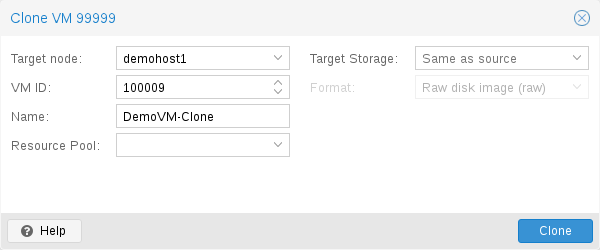
Step 1: Clone VM (Full Clone from Template)
After converting to template, use Full Clone to deploy new VMs.
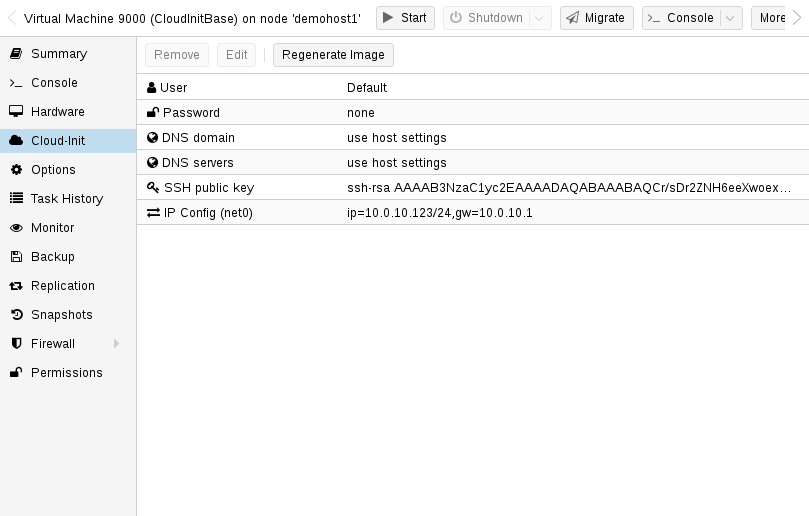
Step 2: Cloud-Init Template Configuration
Configure cloud-init settings for automated template deployments.
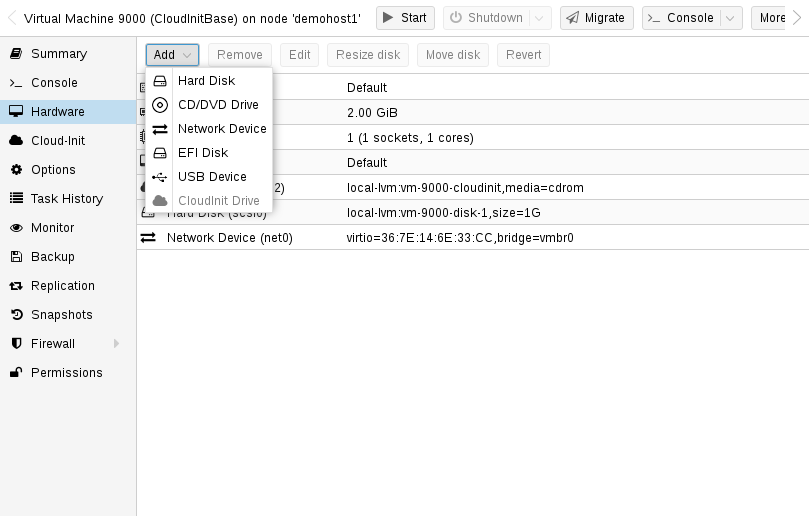
Step 3: Cloud-Init Hardware Settings
Set cloud-init drive and hardware options for template VMs.
Convert VM to Template (GUI)
- Shut down the VM
- Right-click VM → Convert to template
- Right-click template → Clone → Full clone
qm template 101
qm clone 101 105 --name new-vm --full true
Image credits: Screenshots are from the official
Proxmox VE documentation
(Proxmox GmbH), used for educational purposes.