
Once you’re editing extensions.conf beyond copy-pasting existing blocks — routing calls
differently based on caller ID, campaign, or time of day — you need Asterisk’s variables and
expressions. This is the same mechanism ViciDial itself uses internally to pass campaign and lead
data through the dialplan.
This guide covers setting and reading channel variables, the built-in string manipulation functions,
math expressions, and conditional branching — with practical routing examples throughout.
Step 1: Channel Variables vs Global Variables
A channel variable (${VAR}) exists only for the lifetime of one call and is set with Set(VAR=value). A global variable (${GLOBAL(VAR)}) persists across all calls on the system until Asterisk restarts or it’s explicitly changed — useful for system-wide flags, but easy to misuse if you actually wanted per-call state.
Step 2: Setting Variables With Set()
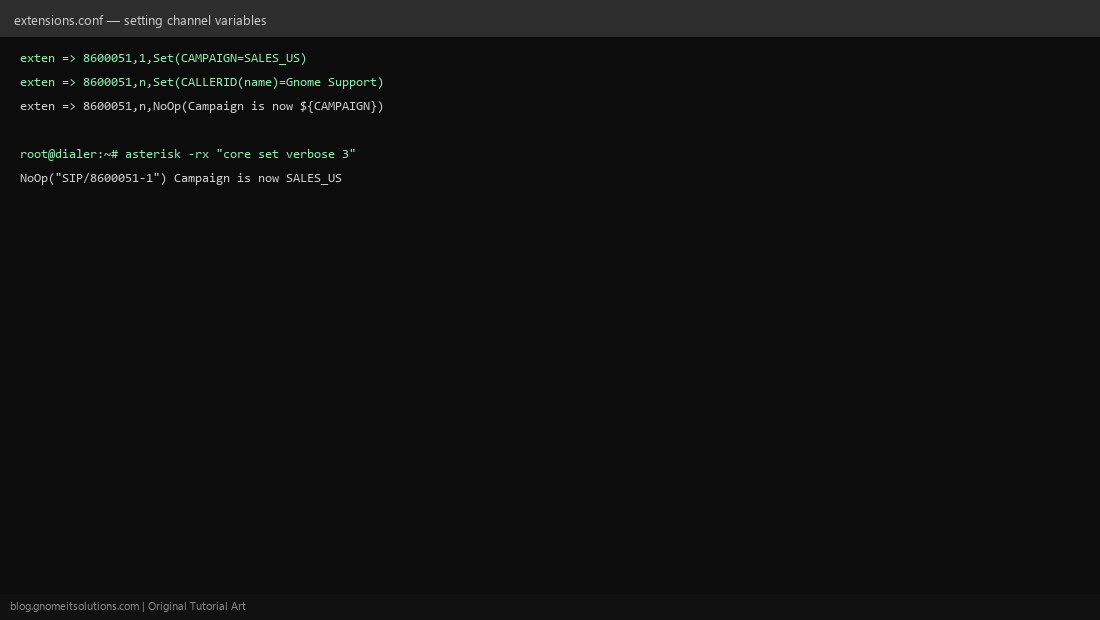
The basic pattern: exten => 8600051,1,Set(CAMPAIGN=SALES_US). You can also set built-in channel properties this way, like Set(CALLERID(name)=Gnome Support) to override the outbound caller ID name. Use NoOp(...) lines liberally while developing — they print to the console without doing anything, letting you confirm a variable’s value at each step.
Step 3: String Manipulation Functions
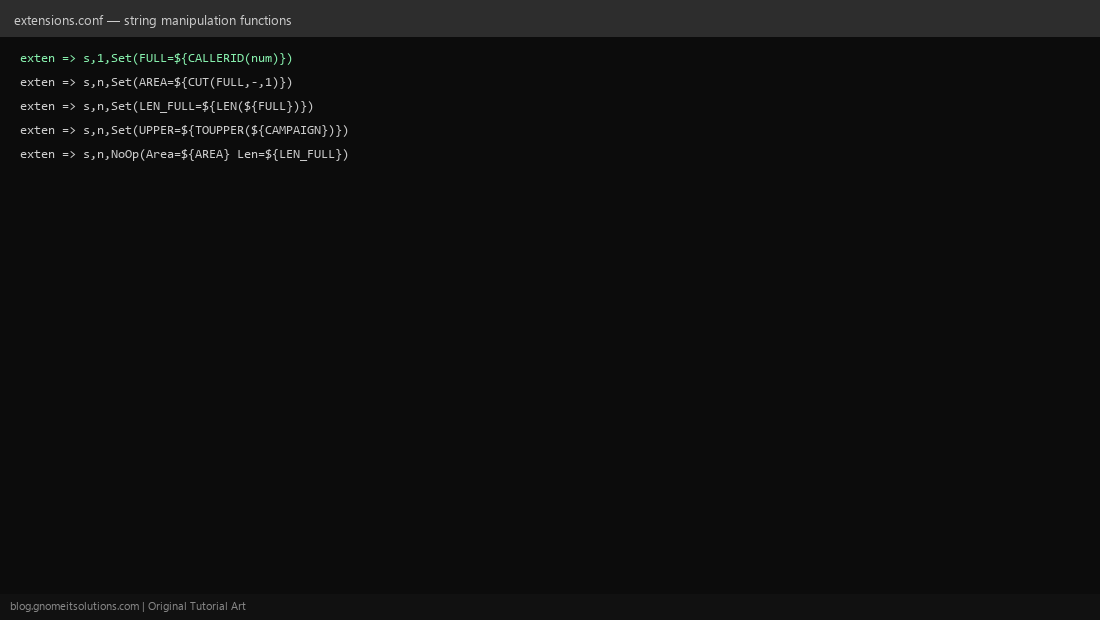
Asterisk ships built-in string functions you call the same way as variables: ${CUT(FULL,-,1)} splits a string on a delimiter and takes one field, ${LEN(${FULL})} returns a string’s length, and ${TOUPPER(${VAR})} / ${TOLOWER(${VAR})} change case. These are essential for parsing caller ID numbers or normalizing lead data passed in from ViciDial.
Step 4: Math With Expression Syntax
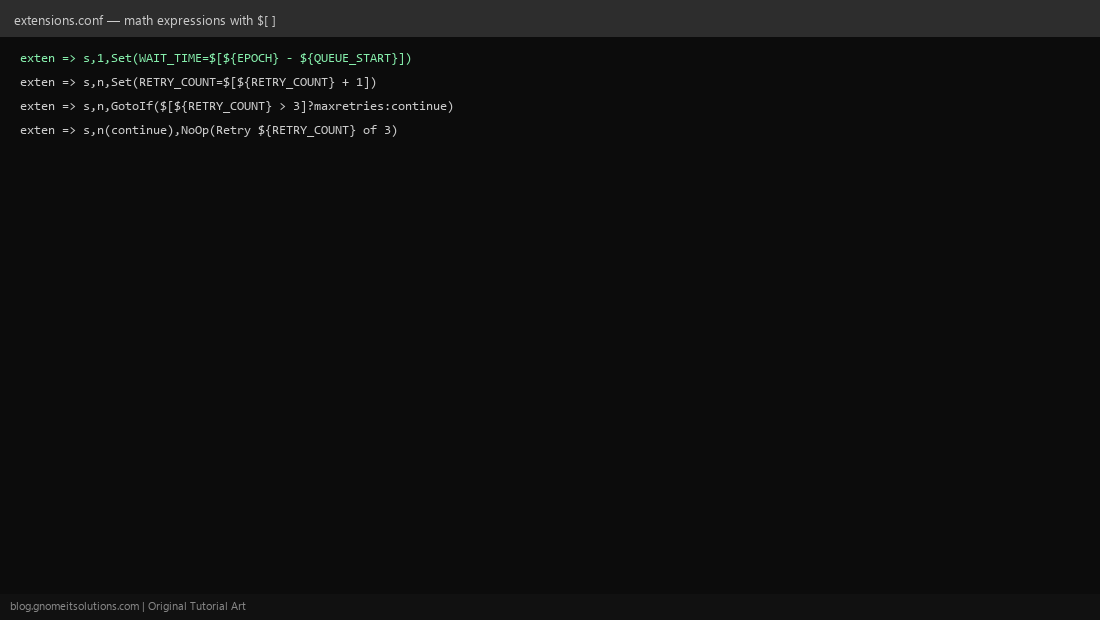
Wrap an expression in $[ ... ] to do arithmetic: Set(WAIT_TIME=$[${EPOCH} - ${QUEUE_START}]) computes elapsed seconds, and Set(RETRY_COUNT=$[${RETRY_COUNT} + 1]) increments a counter across dialplan re-entries. This is the classic Asterisk expression syntax — note it’s square brackets with a dollar sign, distinct from the curly-brace ${...} used just to read a variable’s value.
Step 5: Conditional Branching With GotoIf
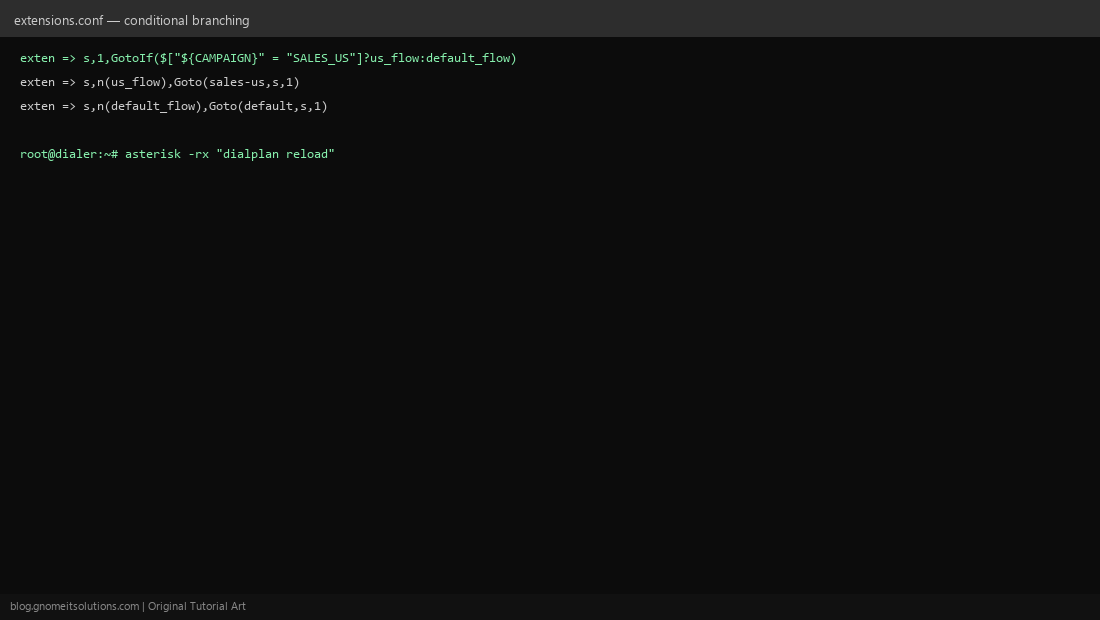
GotoIf($[condition]?label_true:label_false) is the core if/else construct in dialplan logic. Compare strings with quotes inside the expression: GotoIf($["${CAMPAIGN}" = "SALES_US"]?us_flow:default_flow). Named labels like n(us_flow) let you jump to a specific priority within the same extension instead of only jumping between whole extensions.
Step 6: A Practical ViciDial Routing Example
Combine all of the above to route inbound calls differently by campaign: set CAMPAIGN based on the DID dialed, extract the caller’s area code with CUT, increment a retry counter across re-queues with the + expression, and branch with GotoIf into a campaign-specific context. This is the same pattern ViciDial’s own generated dialplan uses under the hood — understanding it makes ViciDial’s auto-generated config far less mysterious when you need to customize it.
Step 7: Debugging Variable Values Live
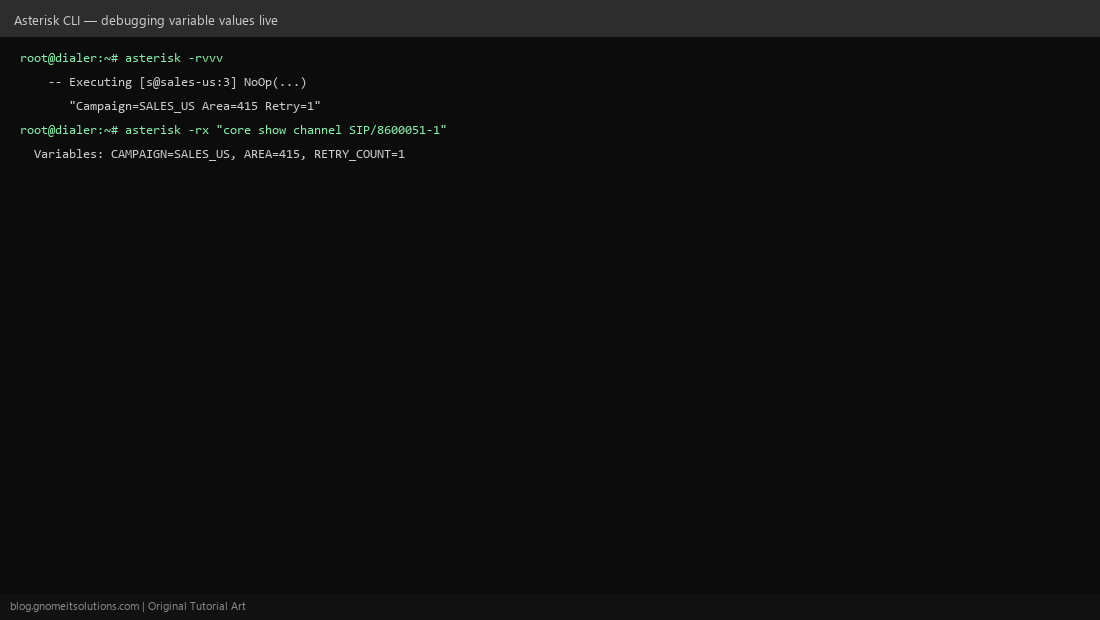
Connect to the live console with asterisk -rvvv and watch NoOp output as calls execute in real time. To inspect a specific active call’s full variable set: asterisk -rx "core show channel SIP/8600051-1" — the Variables section lists every channel variable currently set on that call, invaluable when a conditional branch isn’t behaving as expected.
Quick reference
; Set a variable
exten => s,1,Set(CAMPAIGN=SALES_US)

; String functions
exten => s,n,Set(AREA=${CUT(CALLERID(num),-,1)})
exten => s,n,Set(UPPER=${TOUPPER(${CAMPAIGN})})

; Math expression
exten => s,n,Set(RETRY_COUNT=$[${RETRY_COUNT} + 1])

; Conditional branch
exten => s,n,GotoIf($["${CAMPAIGN}" = "SALES_US"]?us_flow:default_flow)
exten => s,n(us_flow),Goto(sales-us,s,1)
Related tutorials
Image credits: All illustrations are original terminal/config mockups created for
Gnome IT Solutions — not screenshots from any third-party site. Tutorial text © Gnome IT Solutions.