
The Linux kernel exposes hundreds of runtime-tunable parameters through sysctl — things like how many pending connections a socket queue can hold, how aggressively the kernel swaps memory to disk, and whether the box forwards packets between interfaces. Defaults are chosen to be reasonably safe for a generic desktop, not tuned for a busy web server or database — which is why most production tuning guides tell you to touch a handful of these values.
This guide covers where these settings live, how to change them live vs. permanently, and walks through the specific parameters that actually matter for typical web/database server workloads.
Step 1: Understand Where sysctl Settings Live
Every tunable parameter maps to a file under /proc/sys/ — net.core.somaxconn corresponds to /proc/sys/net/core/somaxconn, with dots replaced by slashes. sysctl is just a convenient interface to read and write these files without needing to know the exact path. Because they live under /proc, changes take effect immediately and reset on reboot unless you persist them separately.

Step 2: View and Set Values Live
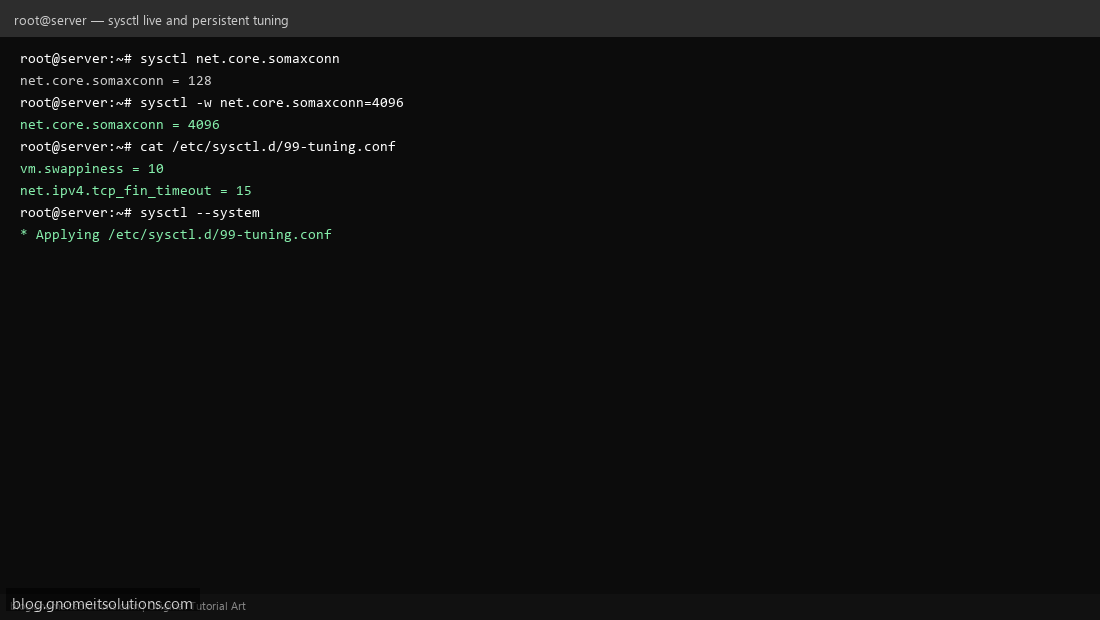
Read a current value: sysctl net.core.somaxconn. Set it temporarily (gone on reboot): sysctl -w net.core.somaxconn=4096. Use this live workflow to test a change’s effect on your actual workload before committing to it permanently — a bad tuning value discovered this way costs you nothing but a reboot to undo.
Step 3: Persist Changes in /etc/sysctl.d/
Once you’re confident in a value, don’t edit /etc/sysctl.conf directly — create a purpose-named file under /etc/sysctl.d/ (e.g. 99-tuning.conf) with your settings, one per line as key = value. This keeps your custom tuning isolated from distro defaults and easy to review, remove, or version-control independently.
Step 4: Network Tuning Basics
For servers handling many concurrent connections: net.core.somaxconn (default 128, often too low for a busy web server — raise to 1024-4096) controls the backlog queue for incoming connections; net.ipv4.tcp_fin_timeout (default 60) controls how long a closed connection lingers in FIN-WAIT state — lowering to 15-30 frees up resources faster under high connection churn; net.ipv4.ip_forward must be 1 if this box routes traffic between interfaces (Docker, a VPN gateway, or a router VM) and stays 0 otherwise for security.
Step 5: Memory and File Descriptor Tuning
vm.swappiness (default 60) controls how eagerly the kernel swaps to disk versus dropping page cache — on a server with plenty of RAM, lowering to 10 keeps more working data in RAM instead of pre-emptively swapping. fs.file-max sets the system-wide limit on open file descriptors — busy database or web servers can hit the default ceiling under load, showing up as mysterious “too many open files” errors even when the per-process ulimit looks fine.
Step 6: Apply and Verify
After writing your /etc/sysctl.d/99-tuning.conf file, apply it without rebooting: sysctl --system (reads and applies every file under /etc/sysctl.d/ in order, reporting which files it processed). Verify each value actually took: sysctl vm.swappiness net.core.somaxconn and compare against what you set.
Step 7: Practical Tuning Profiles
Busy web server (many short-lived connections): raise net.core.somaxconn, lower net.ipv4.tcp_fin_timeout, raise fs.file-max. Database server (large working set, wants data in RAM): lower vm.swappiness to 1-10, raise vm.dirty_ratio/vm.dirty_background_ratio cautiously if write-heavy. NAT/router box: net.ipv4.ip_forward=1 plus connection-tracking table size tuning (net.netfilter.nf_conntrack_max) if handling many simultaneous NAT’d connections.
Step 8: Safety Notes
Change one parameter at a time in production and observe before stacking more — tuning guides that hand you 30 values to paste in blind are a common source of “it got worse and we don’t know why.” Keep a copy of the original sysctl -a output before you start, so you have a rollback reference. Some values (like connection tracking table size) trade memory for capacity — confirm the box actually has headroom before raising them aggressively.
Example /etc/sysctl.d/99-tuning.conf
# Network — busy web server
net.core.somaxconn = 4096
net.ipv4.tcp_fin_timeout = 15

# Memory — keep working set in RAM
vm.swappiness = 10

# File descriptors
fs.file-max = 100000
Command reference
# Read a value
sysctl net.core.somaxconn

# Set live (temporary)
sysctl -w net.core.somaxconn=4096

# Apply all files under /etc/sysctl.d/
sysctl --system

# Snapshot everything before you start tuning
sysctl -a > /root/sysctl-baseline-$(date +%F).txt
Related tutorials
- Linux Performance Troubleshooting
- Linux Swap and Memory Alert Shell Script
- HAProxy Load Balancer Setup
Terminal screenshots are original illustrations created for Gnome IT Solutions (blog.gnomeitsolutions.com).