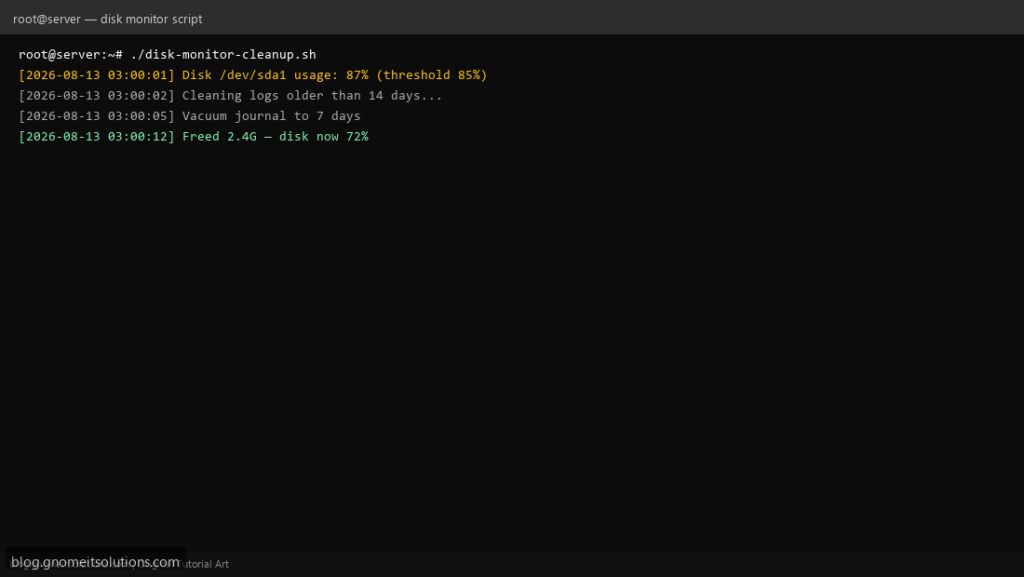
Keep your Linux server healthy with this disk monitor and cleanup shell script. It checks disk usage, automatically cleans old logs and temp files when space is low, and can send email alerts.
What this script does
- Monitors disk usage on
/(or any mount point) - Runs cleanup when usage exceeds a threshold (default 85%)
- Cleans old
/var/logfiles, systemd journal, and/tmp - Runs
apt-get cleanordnf clean allto free package cache - Logs everything to
/var/log/disk-cleanup.log - Optional email alerts via
mailcommand
Prerequisites
- Root or sudo access
df,find,journalctl(systemd)- Optional:
mailutilsfor email alerts
Step 1: Install the script
sudo nano /usr/local/bin/disk-monitor-cleanup.sh
sudo chmod +x /usr/local/bin/disk-monitor-cleanup.sh
Step 2: Full script (scroll to read)
disk-monitor-cleanup.sh
#!/usr/bin/env bash
#===============================================================================
# disk-monitor-cleanup.sh
# Monitor disk usage and auto-clean logs/temp files when threshold is exceeded
# Tested on: AlmaLinux 9, Ubuntu 22.04, Debian 12
# Usage: ./disk-monitor-cleanup.sh
# Cron:  0 3 * * * /usr/local/bin/disk-monitor-cleanup.sh >> /var/log/disk-cleanup.log 2>&1
#===============================================================================

set -euo pipefail

# ---------- CONFIGURATION ----------
MOUNT_POINT="/"                 # partition to monitor
THRESHOLD=85                    # trigger cleanup when usage >= this %
LOG_RETENTION_DAYS=14           # delete rotated logs older than N days
JOURNAL_RETENTION_DAYS=7        # keep systemd journal for N days
TMP_RETENTION_DAYS=7            # delete /tmp files older than N days
CLEAN_PATHS=("/var/log" "/tmp") # extra paths to scan for old files

# Optional email alert (leave empty to skip)
ALERT_EMAIL="[email protected]"

LOG_FILE="/var/log/disk-cleanup.log"
LOG_PREFIX="[$(date '+%F %T')]"
# ----------------------------------

log() {
  echo "${LOG_PREFIX} $*" | tee -a "${LOG_FILE}"
}

get_usage() {
  df -P "${MOUNT_POINT}" | awk 'NR==2 {gsub(/%/,"",$5); print $5}'
}

get_avail_human() {
  df -hP "${MOUNT_POINT}" | awk 'NR==2 {print $4 " free of " $2}'
}

send_alert() {
  local subject="$1"
  local body="$2"
  if [[ -n "${ALERT_EMAIL}" ]] && command -v mail >/dev/null 2>&1; then
    echo "${body}" | mail -s "${subject}" "${ALERT_EMAIL}"
  fi
}

clean_old_logs() {
  log "Removing compressed/rotated logs older than ${LOG_RETENTION_DAYS} days in /var/log"
  find /var/log -type f \( -name "*.gz" -o -name "*.1" -o -name "*.old" \) \
    -mtime +"${LOG_RETENTION_DAYS}" -print -delete 2>/dev/null || true
}

clean_journal() {
  if command -v journalctl >/dev/null 2>&1; then
    log "Vacuum systemd journal to ${JOURNAL_RETENTION_DAYS} days"
    journalctl --vacuum-time="${JOURNAL_RETENTION_DAYS}d" >/dev/null 2>&1 || true
  fi
}

clean_tmp() {
  log "Removing files in /tmp older than ${TMP_RETENTION_DAYS} days"
  find /tmp -type f -atime +"${TMP_RETENTION_DAYS}" -print -delete 2>/dev/null || true
}

clean_custom_paths() {
  local path
  for path in "${CLEAN_PATHS[@]}"; do
    [[ -d "${path}" ]] || continue
    log "Cleaning stale files under ${path} (${LOG_RETENTION_DAYS}d+)"
    find "${path}" -type f -mtime +"${LOG_RETENTION_DAYS}" \
      ! -path "/var/log/disk-cleanup.log" -print -delete 2>/dev/null || true
  done
}

apt_clean() {
  if command -v apt-get >/dev/null 2>&1; then
    log "Running apt-get clean and autoremove"
    apt-get clean -y >/dev/null 2>&1 || true
    apt-get autoremove -y >/dev/null 2>&1 || true
  elif command -v dnf >/dev/null 2>&1; then
    log "Running dnf clean all"
    dnf clean all -y >/dev/null 2>&1 || true
  fi
}

BEFORE=$(get_usage)
log "Disk ${MOUNT_POINT} usage: ${BEFORE}% — $(get_avail_human)"

if (( BEFORE >= THRESHOLD )); then
  log "Threshold ${THRESHOLD}% reached — starting cleanup"
  send_alert "Disk alert on $(hostname -s)" "Usage ${BEFORE}% on ${MOUNT_POINT}. Cleanup started."

  clean_old_logs
  clean_journal
  clean_tmp
  clean_custom_paths
  apt_clean

  AFTER=$(get_usage)
  log "Cleanup finished — usage now ${AFTER}% — $(get_avail_human)"
  send_alert "Disk cleanup done on $(hostname -s)" "Usage was ${BEFORE}%, now ${AFTER}% on ${MOUNT_POINT}."
else
  log "Disk usage OK (below ${THRESHOLD}%) — no cleanup needed"
fi

exit 0
Scroll inside the box to read the full script.
Step 3: Configure settings
Edit the top of the script:
THRESHOLD=85— start cleanup at this disk usage %LOG_RETENTION_DAYS=14— how long to keep old log filesJOURNAL_RETENTION_DAYS=7— systemd journal retentionALERT_EMAIL— your email for alerts (optional)
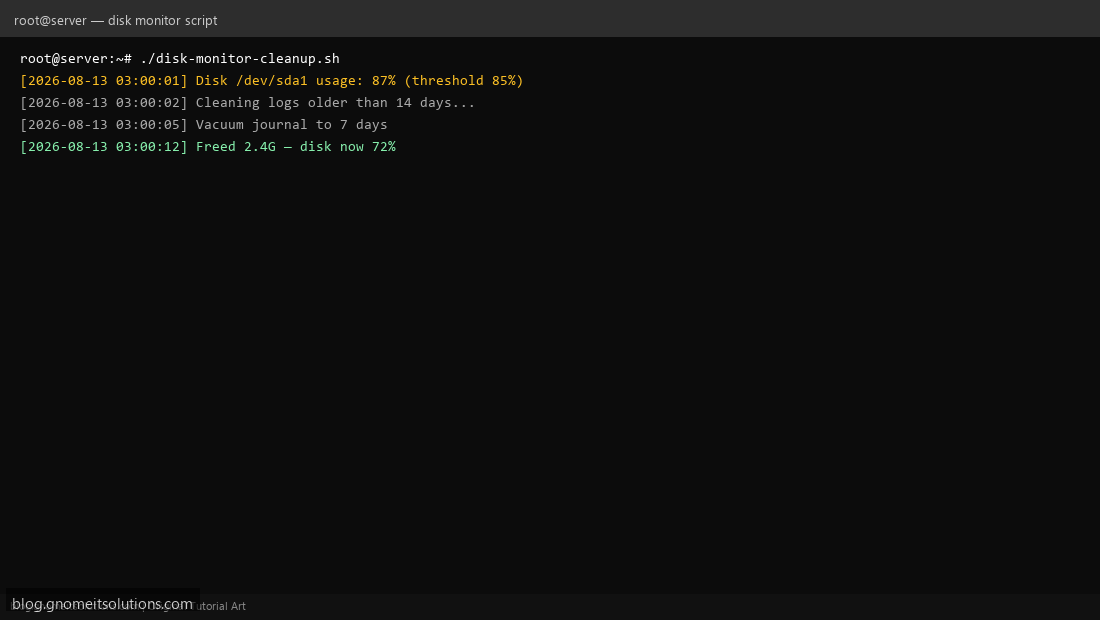
Step 4: Test manually
sudo /usr/local/bin/disk-monitor-cleanup.sh
sudo tail -20 /var/log/disk-cleanup.log
Step 5: Schedule with cron (daily at 3 AM)
sudo crontab -eAdd:
0 3 * * * /usr/local/bin/disk-monitor-cleanup.sh >> /var/log/disk-cleanup.log 2>&1Check disk usage manually
df -h
du -sh /var/log/* | sort -hr | head
journalctl --disk-usage
Related tutorials
- Check Disk Space in Linux: df, du & ncdu
- Linux Backup Shell Script: Files & Database to Remote Server
- Cron Jobs in Linux: Schedule Tasks with crontab
Terminal screenshot is an original illustration created for Gnome IT Solutions (blog.gnomeitsolutions.com).