Sticky Agent in ViciDial routes a lead’s next call — a scheduled callback or a repeat
inbound — back to the same agent who last handled them, instead of the next available agent in the queue.
This matters for sales and collections campaigns where continuity builds trust and shortens the call.
This guide covers the campaign-level setting, how ViciDial decides which agent “owns” a lead, and what
happens when that agent isn’t logged in when the callback comes due.
Step 1: Understand What Drives the Match
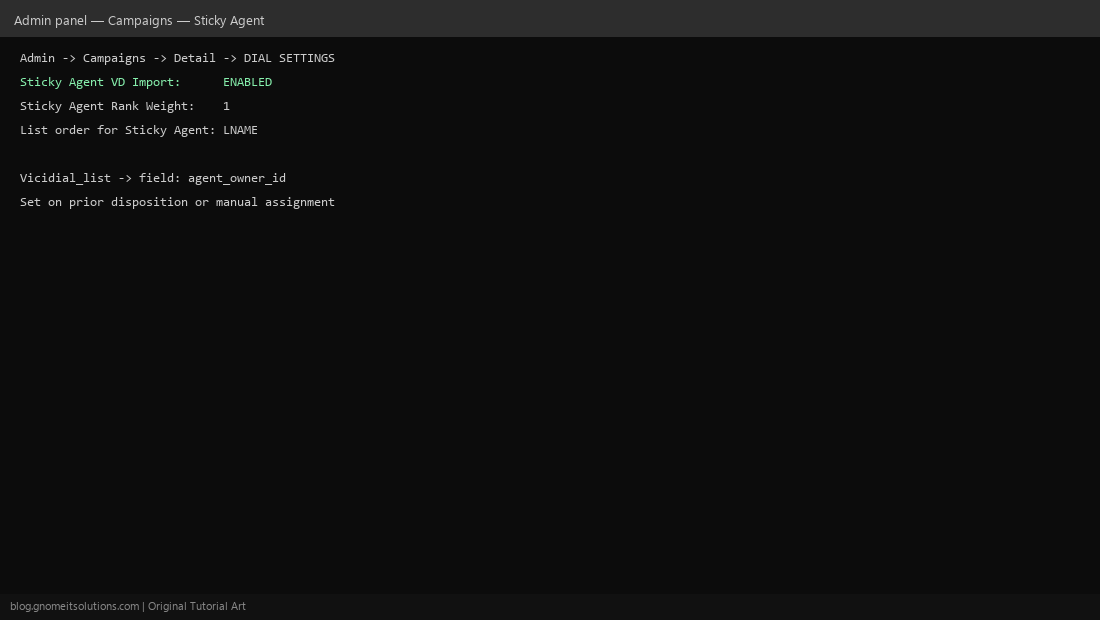
Sticky Agent works off the agent_owner_id field on each row in vicidial_list. When an agent finishes a call and sets a disposition that keeps the lead active (like a callback), ViciDial can stamp that agent’s ID onto the lead automatically if Sticky Agent is enabled for the campaign.
Step 2: Enable It at the Campaign Level
Go to Admin → Campaigns → [your campaign] → Detail and find the dial settings section. Set Sticky Agent VD Import (or the equivalent sticky agent option depending on your ViciDial version) to ENABLED, and set a rank weight if you’re combining it with other lead-priority rules.
Step 3: Set the List Order for Sticky Agent
The List order for Sticky Agent setting controls how ViciDial picks among multiple leads owned by the same agent when several are due — typically by last name or by scheduled callback time. Match this to how your agents actually work their personal list.
Step 4: Know What Happens When the Owner Isn’t Logged In
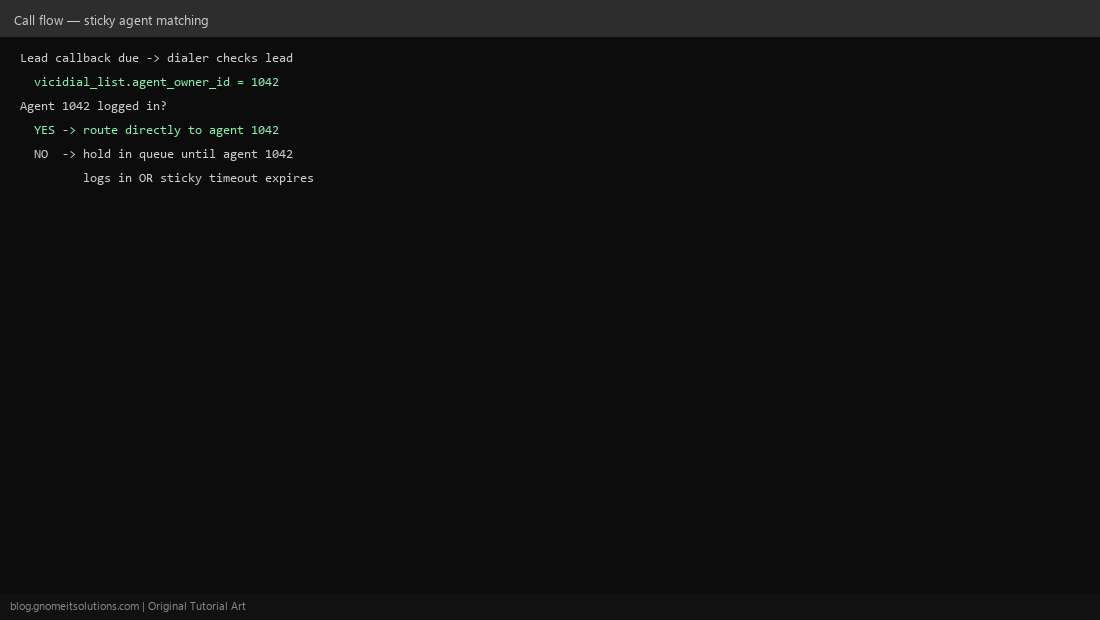
If the owning agent is not currently logged into the campaign, ViciDial’s default behavior is to hold the lead until that agent logs in, rather than handing it to someone else — unless your campaign also has a sticky timeout or fallback rule configured. Decide this policy up front so leads don’t sit idle indefinitely.
Step 5: Test With a Small List
Load a small test list, take one call as Agent A, set a callback disposition, then log out and back in as Agent A when the callback is due — confirm it routes to you and not the general queue. Then try letting the callback come due while Agent A is logged out to confirm the hold behavior matches expectations.
When to use Sticky Agent
- Good fit: sales follow-ups, collections, account management campaigns
- Poor fit: high-volume cold outreach where speed-to-lead matters more than continuity
Related tutorials
Image credits: All illustrations are original terminal/config mockups created for
Gnome IT Solutions — not screenshots from any third-party site. Tutorial text © Gnome IT Solutions.