
Some campaigns need a lead to only ever be called by one specific agent — an account
manager working a named list, or a compliance requirement that a particular rep handles a particular
customer. That’s what owner-only dialing is for, and it’s a distinct setting from Sticky
Agent (which reassigns dynamically after each call).
This guide shows how to assign leads to an agent’s ownership and lock the campaign so only that agent’s
dialer session will call them.
Step 1: Identify the Agent’s User ID
Every ViciDial agent user has a numeric user ID separate from their login name. Find it under Admin → Users — you’ll use this numeric ID as the value for agent_owner_id on lead records.
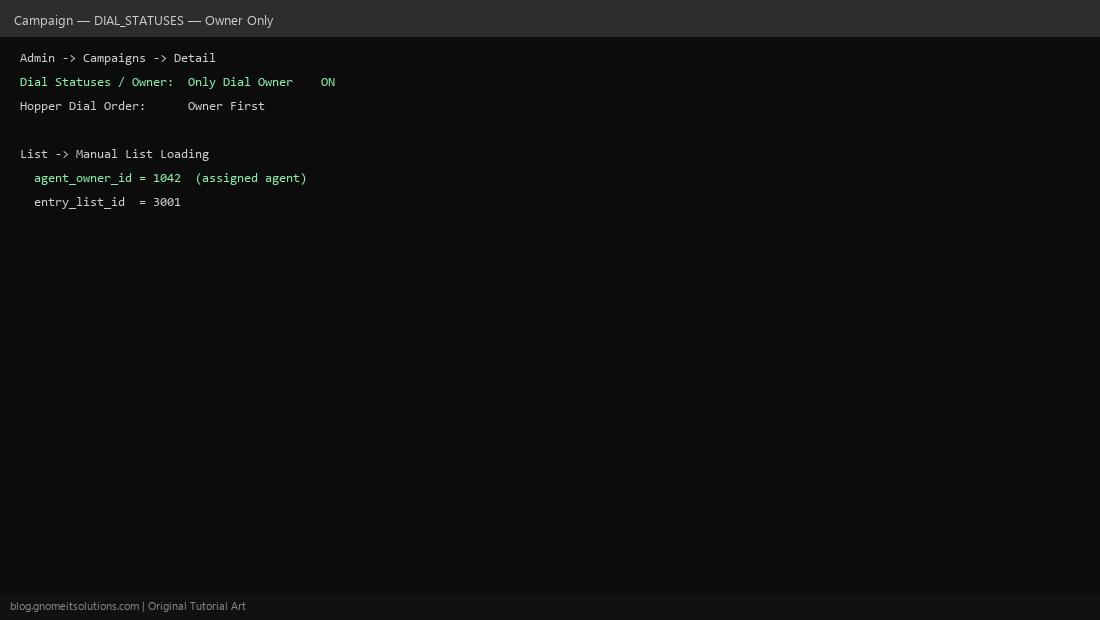
Step 2: Enable Owner-Only Dialing on the Campaign
In Admin → Campaigns → Detail, set the dial statuses/owner option to Only Dial Owner and set Hopper Dial Order to prioritize owner leads first. With this on, leads without a matching owner logged in won’t be offered to other agents.
Step 3: Assign Leads to an Agent Manually
For a handful of leads, use Admin → Manual List Loading or edit the lead directly and set the owner field to the target agent’s user ID. This is the simplest path when you’re assigning leads one at a time as they come in.
Step 4: Bulk-Assign a Whole List by SQL
For a full list import, it’s faster to bulk-update: UPDATE vicidial_list SET agent_owner_id='AGENT_ID' WHERE list_id='LIST_ID' AND status='NEW';. Always scope the WHERE clause tightly (by list ID and status) so you don’t accidentally reassign leads outside the batch you intend.
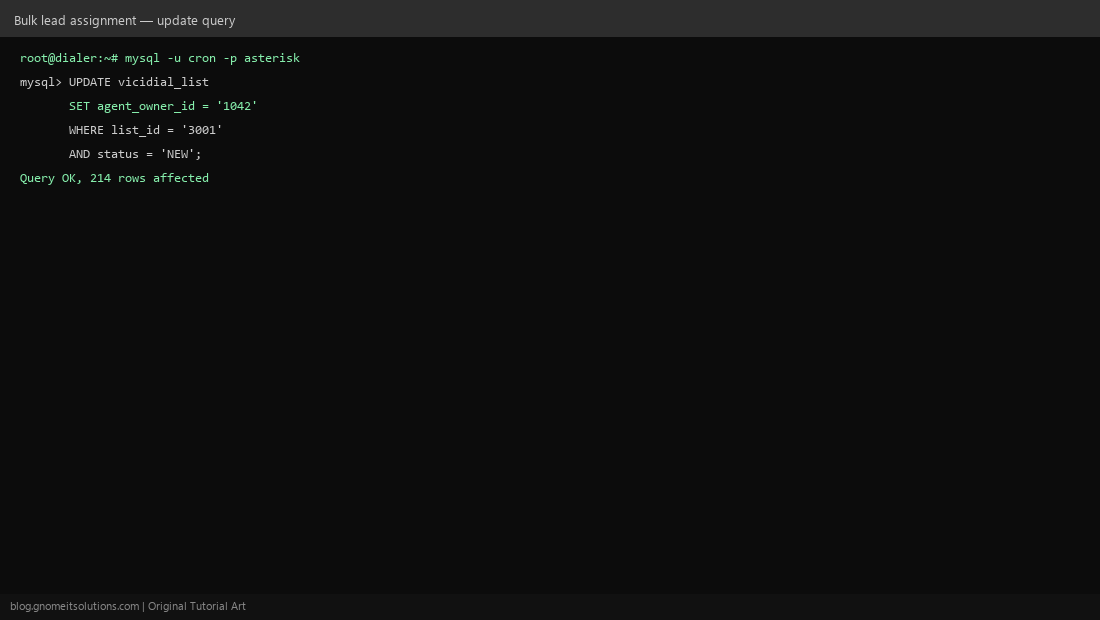
Step 5: Confirm the Agent Only Receives Owned Leads
Log the assigned agent into the campaign and confirm the hopper only offers their owned leads. Log a second, unassigned agent in and confirm they are skipped for those same leads — this proves the owner-only restriction is actually enforced, not just set.
Owner-only dialing vs Sticky Agent
- Owner-only dialing: a lead is permanently tied to one agent until manually reassigned
- Sticky Agent: ownership shifts dynamically to whichever agent last spoke to the lead
- They can be combined, but test carefully — conflicting rules can strand leads with no eligible agent
Related tutorials
Image credits: All illustrations are original terminal/config mockups created for
Gnome IT Solutions — not screenshots from any third-party site. Tutorial text © Gnome IT Solutions.