growpart is the standard answer when a cloud console shows a larger disk but df -h still reports the old size — the partition table and filesystem have not caught up yet.
See also: extend LVM,
mount & fstab,
partitioning tools.
Confirm new disk size
Provider panel vs what the OS sees — compare lsblk and df.
bashinspect
lsblk
df -h /
sudo fdisk -l /dev/nvme0n1 2>/dev/null | head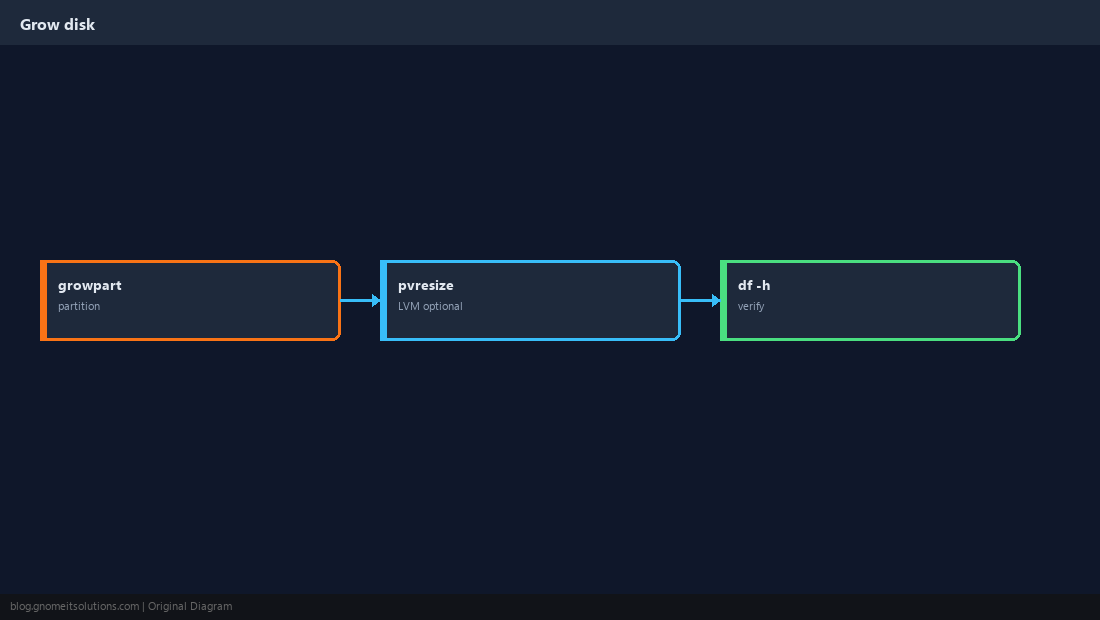
Grow the partition
cloud-utils-growpart package provides growpart on most distros.
bashexample nvme
sudo growpart /dev/nvme0n1 1
sudo partprobe /dev/nvme0n1Grow the filesystem
ext4 uses resize2fs; XFS uses xfs_growfs on the mount point.
bashext4 root
sudo resize2fs /dev/nvme0n1p1
df -h /If LVM sits on the disk
Grow partition first, then pvresize and lvextend.
bashlvm
sudo pvresize /dev/nvme0n1p1
sudo lvextend -l +100%FREE /dev/mapper/vg0-root
sudo resize2fs /dev/mapper/vg0-rootWarningTake a snapshot/backup before resizing production root disks.
Quick Reference
growpart DEVICE PARTITIONNUM- ext4:
resize2fs— XFS:xfs_growfs /mount - Always verify with
df -h
Related tutorials
Diagrams are original illustrations by Gnome IT Solutions. Tutorial text © Gnome IT Solutions.