A pod’s own filesystem disappears the moment that pod is deleted or rescheduled — fine for a stateless web server, a real problem for a database or anything else that needs to keep data across restarts. Kubernetes solves this with a layer of storage abstractions: PersistentVolume (PV), PersistentVolumeClaim (PVC), and StorageClass — three names that confuse almost everyone new to Kubernetes until the binding chain between them clicks.
Step 1: Understand the Binding Chain
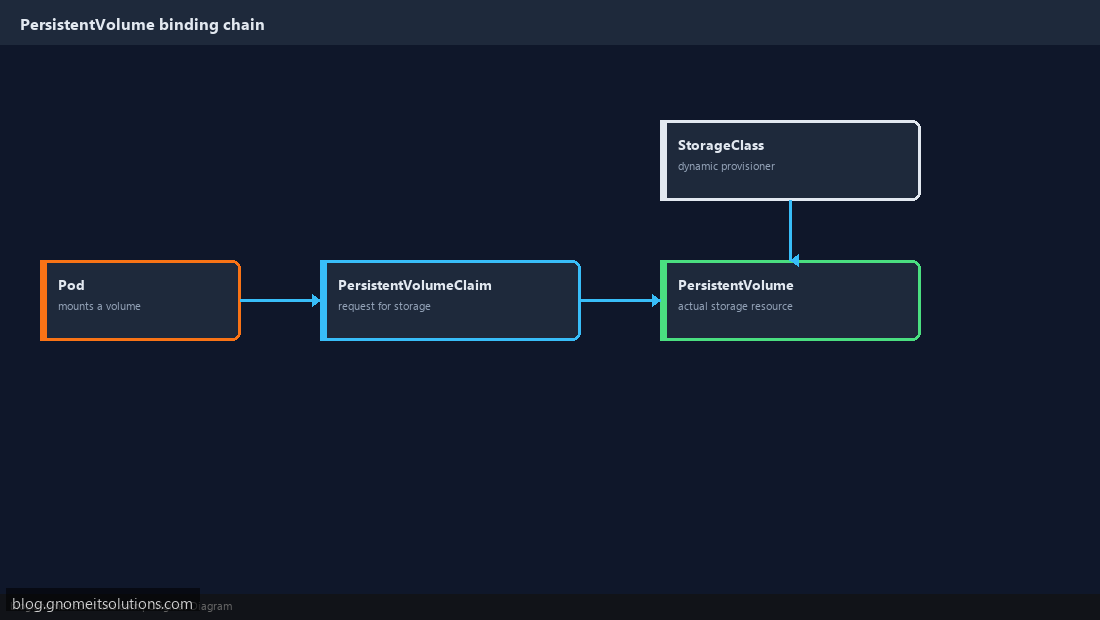
A Pod doesn’t reference storage directly — it mounts a PersistentVolumeClaim, which is a request for storage (“I need 10Gi, ReadWriteOnce”), not the storage itself. Kubernetes binds that claim to an actual PersistentVolume — a real piece of storage, either pre-created manually or dynamically provisioned on demand. This indirection lets pod definitions stay portable across clusters with completely different underlying storage.
Step 2: Create a PersistentVolumeClaim
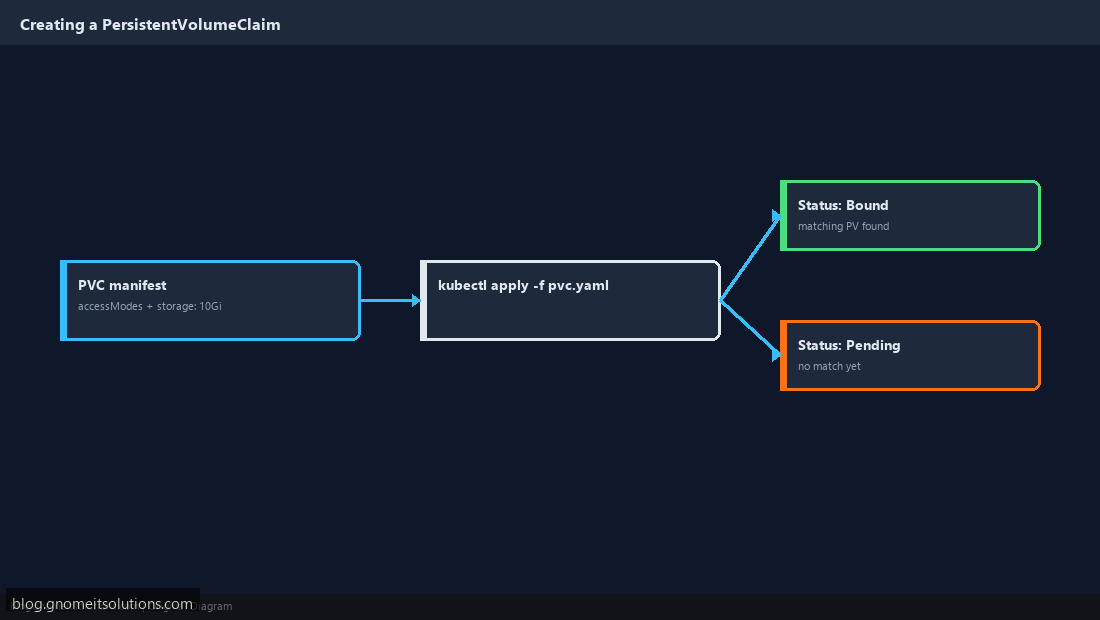
A PVC manifest specifies accessModes (commonly ReadWriteOnce — mountable read-write by one node at a time) and resources.requests.storage (e.g. 10Gi). Apply it with kubectl apply -f pvc.yaml, then check kubectl get pvc — status Bound means a matching PV was found (or dynamically created); Pending means nothing satisfies the request yet.
Step 3: Understand StorageClasses and Dynamic Provisioning
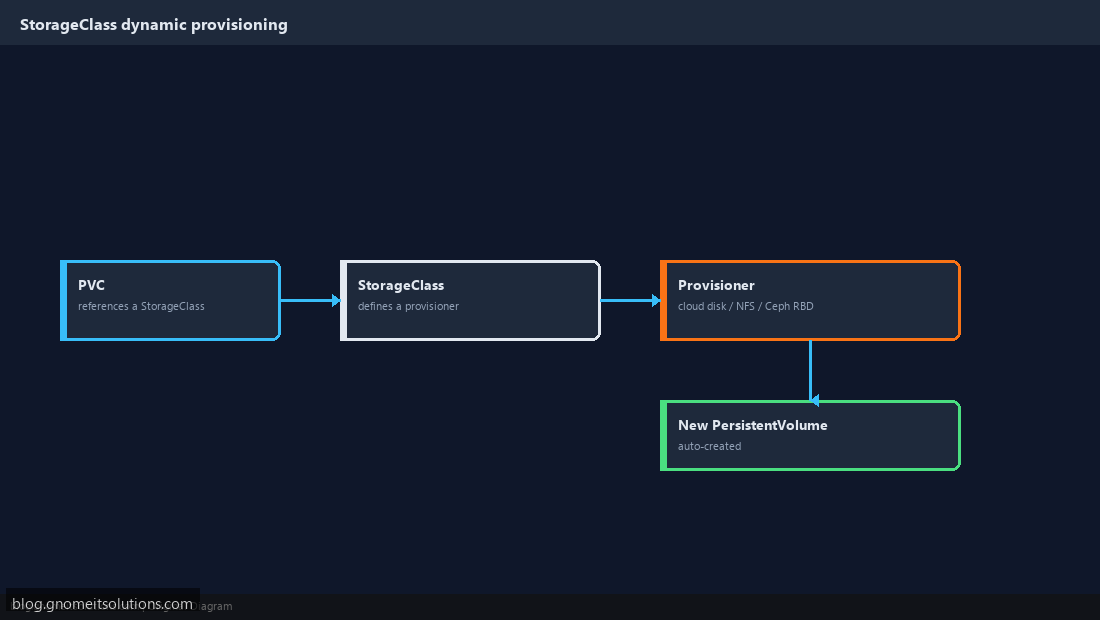
Rather than manually pre-creating PersistentVolumes, a StorageClass defines a provisioner (cloud block storage, NFS, Ceph RBD, local-path — check kubectl get storageclass for what’s available on your cluster) that automatically creates a matching PV whenever a PVC references that class. This is the normal path in most real clusters — manual PV creation is mainly for pre-existing storage you’re deliberately wiring in.
Step 4: Mount the PVC in a Pod
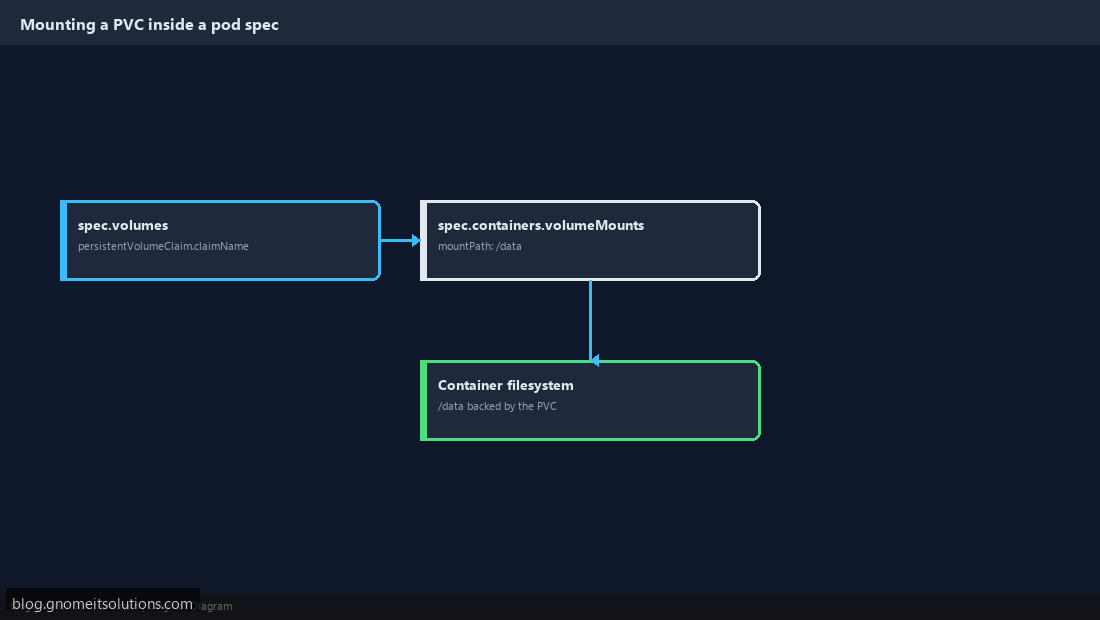
In the pod (or Deployment/StatefulSet) spec, reference the PVC under volumes with persistentVolumeClaim.claimName, then mount it into the container under volumeMounts at whatever path the application expects its data directory to be. The pod doesn’t know or care whether the underlying PV is local disk, NFS, or cloud block storage.
Step 5: Understand Access Modes
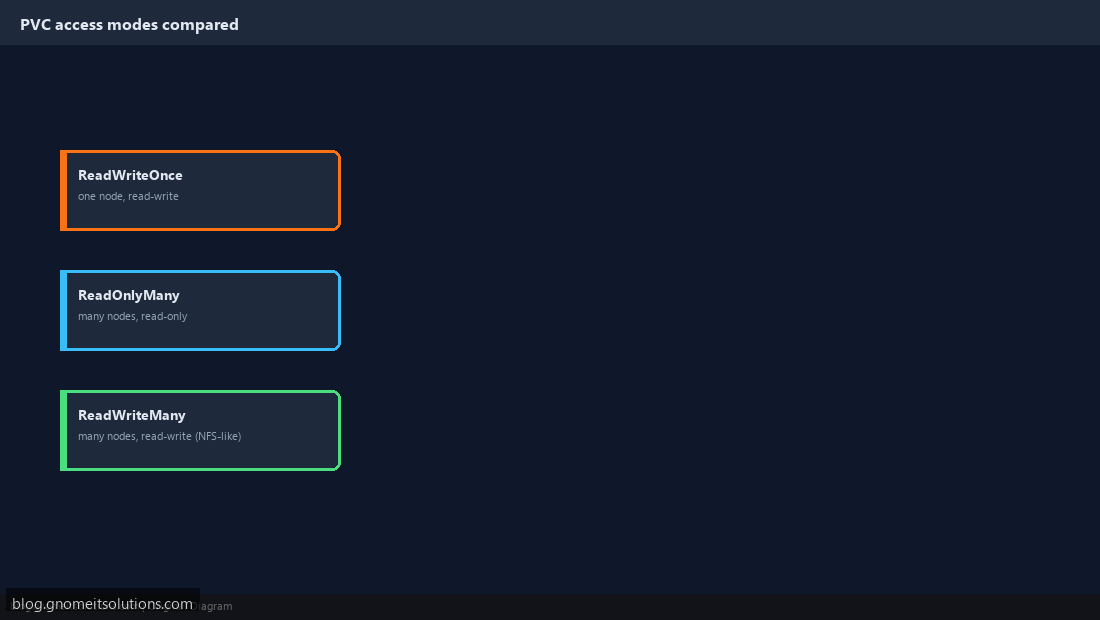
ReadWriteOnce (RWO) — one node can mount read-write (most block storage); ReadOnlyMany (ROX) — many nodes can mount read-only; ReadWriteMany (RWX) — many nodes can mount read-write simultaneously, needed for shared storage like NFS but not supported by most block storage backends. Picking RWX when your storage backend only supports RWO is a common cause of a PVC stuck in Pending.
Step 6: Know What Survives a Pod Restart
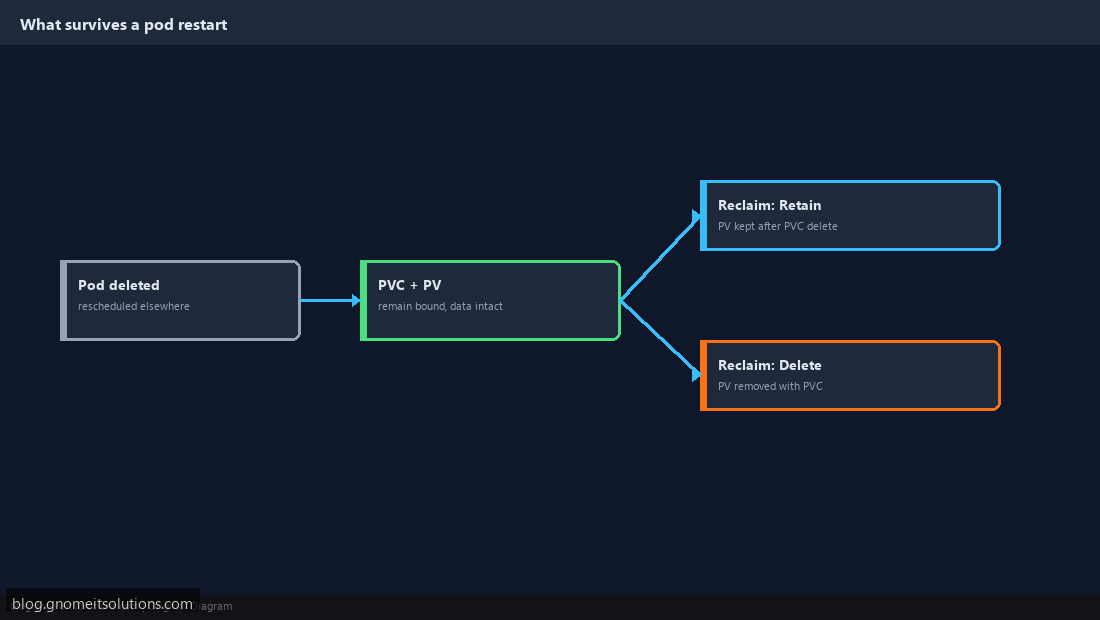
Data on a PVC-backed volume survives pod deletion and rescheduling — that’s the entire point. What does not automatically survive is the PVC itself if you delete a StatefulSet with certain settings, or if the PV’s reclaim policy is set to Delete rather than Retain — check kubectl get pv for the RECLAIM POLICY column before assuming data is safe by default.
Step 7: Resize a PVC
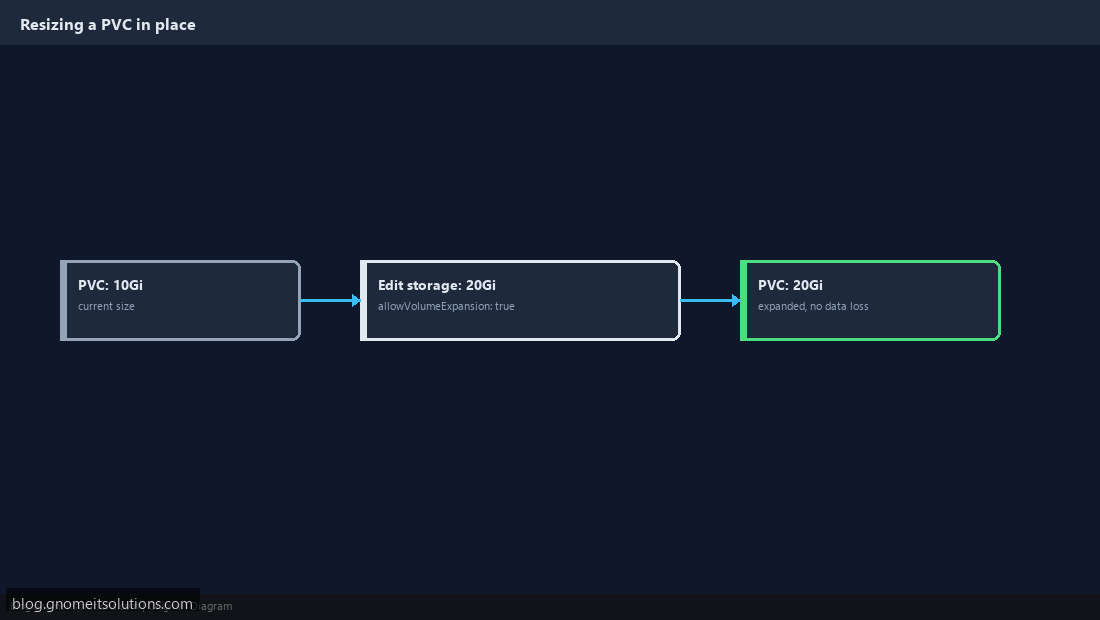
If the StorageClass has allowVolumeExpansion: true, you can grow a PVC in place by editing its resources.requests.storage to a larger value and reapplying — no need to recreate the pod or migrate data manually. Shrinking a PVC is not supported; plan initial sizing with headroom rather than relying on being able to reduce it later.
Step 8: Back Up Stateful Data
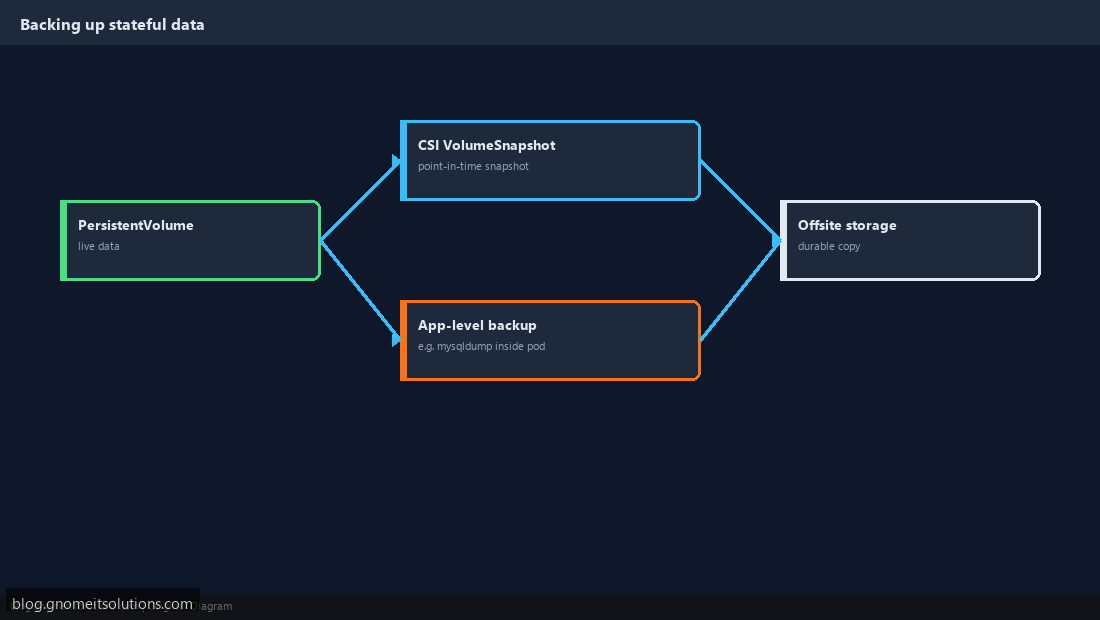
PersistentVolumes are not automatically backed up by Kubernetes itself — a deleted PVC with a Delete reclaim policy can mean permanently lost data. Use a volume-snapshot-capable StorageClass with the CSI snapshot API, or fall back to an application-level backup running inside the pod (the same database backup approach used outside Kubernetes works the same way inside a container).
Example PVC + Pod
apiVersion: v1
kind: PersistentVolumeClaim
metadata:
  name: app-data
spec:
  accessModes: [ReadWriteOnce]
  resources:
    requests:
      storage: 10Gi
---
apiVersion: v1
kind: Pod
metadata:
  name: app
spec:
  containers:
    - name: app
      image: myapp:1.0
      volumeMounts:
        - mountPath: /data
          name: data
  volumes:
    - name: data
      persistentVolumeClaim:
        claimName: app-data
Related tutorials
Terminal screenshots are original illustrations created for Gnome IT Solutions (blog.gnomeitsolutions.com).