
This ViciDial error appears when an agent tries to log in with a phone extension that the system does
not consider valid right now — even though the extension exists. It almost always traces back to one of
three things: the phone record is marked inactive, the SIP credentials in phones don’t match
sip.conf/pjsip, or the extension is still tied up by a stale session from a previous crash.
This guide walks through diagnosing and fixing each cause in order, from fastest to check first.
Step 1: Reproduce and Read the Exact Extension in the Error
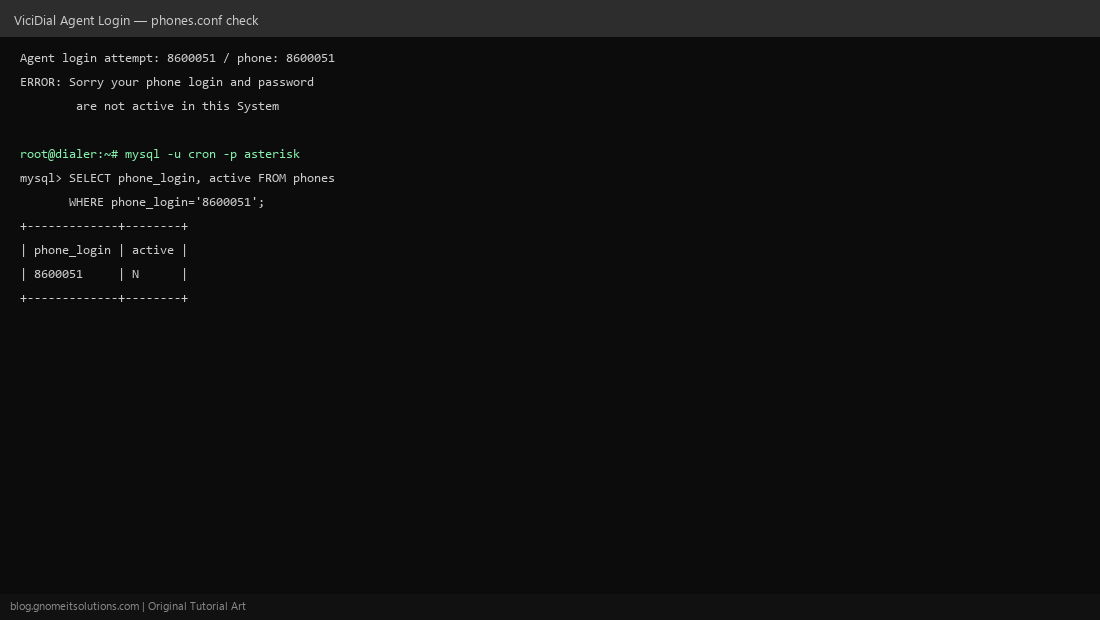
Note the phone/extension number shown in the error (e.g. 8600051). ViciDial shows this error at the agent login screen before any call routing happens — it’s a pre-check against the phones table, not a live SIP registration failure.
Step 2: Check the Active Flag in the Phones Table
Log into the ViciDial database (mysql -u cron -p asterisk) and query SELECT phone_login, active FROM phones WHERE phone_login='EXTENSION';. If active shows N, that’s the whole problem — ViciDial refuses login for inactive phone records regardless of correct SIP credentials.
Step 3: Flip Active to Y in the Admin Panel
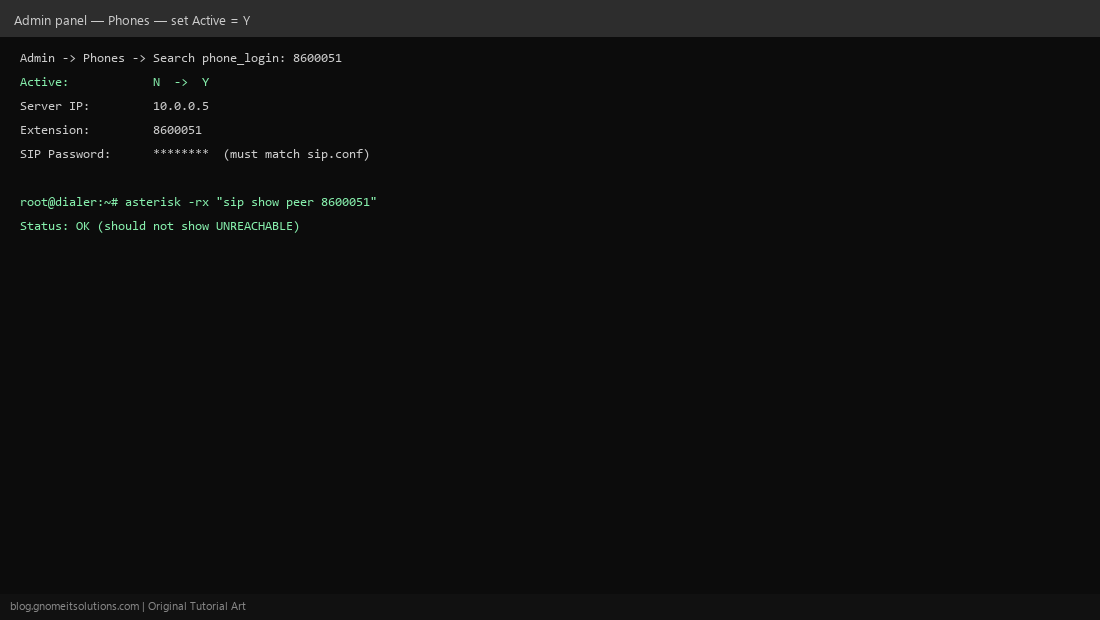
In the ViciDial admin, go to Admin → Phones, search the phone_login, and set Active to Y. Save. This is safer than editing the database directly since the admin UI also revalidates related fields like server IP and protocol.
Step 4: Verify SIP Registration Matches
If Active was already Y, compare the SIP password in the phone record against sip.conf (or pjsip config) for that extension. Run asterisk -rx "sip show peer EXTENSION" — if status is UNREACHABLE, the phone/softphone itself isn’t registered, which can also surface as this login error on some ViciDial versions.
Step 5: Clear a Stale Session and Retry
If the phone crashed mid-call previously, its session flag in phones can get stuck. Clear it with UPDATE phones SET status='' WHERE phone_login='EXTENSION';, then reload SIP (asterisk -rx "sip reload") and have the agent log in again.
Quick checklist
- Phone record
active = Yin thephonestable - SIP/pjsip password matches between
phonesand the dialplan config - Extension shows OK, not UNREACHABLE, in
sip show peer statusfield cleared if the phone crashed mid-session previously
Related tutorials
Image credits: All illustrations are original terminal/config mockups created for
Gnome IT Solutions — not screenshots from any third-party site. Tutorial text © Gnome IT Solutions.