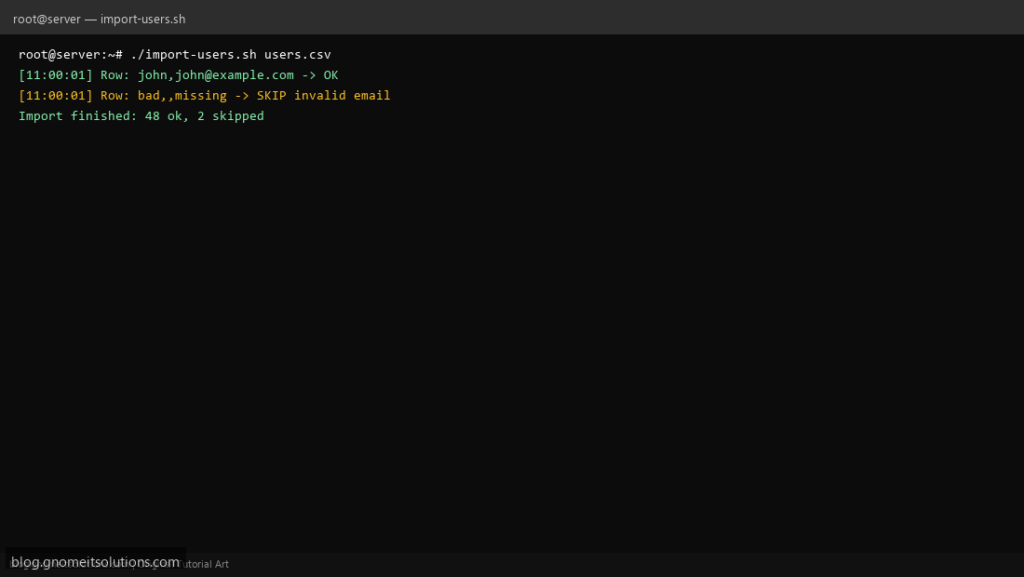
CSV imports power onboarding scripts, license lists, and one-off migrations. This template shows the safe while read pattern with IFS=',' — no accidental word-splitting on spaces — plus basic validation so bad rows do not stop the whole file.
What this script does
- Skips the header row automatically
- Trims whitespace around fields
- Validates required columns and simple email format
- Logs each accepted or skipped row with reason
- Replace the
process_rowfunction with your business logic
Prerequisites
- Bash on Linux
- CSV with comma separator and no embedded commas in fields (or use proper CSV tooling)
- Input file readable by the script user
Step 1: Save the script
sudo nano /usr/local/bin/import-users.sh
sudo chmod +x /usr/local/bin/import-users.sh
Step 2: Full script (scroll to read)
import-users.sh
#!/usr/bin/env bash
set -euo pipefail

CSV="${1:?usage: import-users.sh file.csv}"
LOG="/var/log/import-users.log"
ok=0; skip=0

log(){ echo "[$(date '+%F %T')] $*" | tee -a "$LOG"; }

valid_email(){ [[ "$1" =~ ^[A-Za-z0-9._%+-]+@[A-Za-z0-9.-]+\.[A-Za-z]{2,}$ ]]; }

process_row(){
  local name="$1" email="$2"
  # TODO: useradd, API POST, etc.
  log "Row: $name,$email -> OK"
}

{
  read -r _header
  while IFS=',' read -r name email _rest; do
    name="${name#"${name%%[![:space:]]*}"}"; name="${name%"${name##*[![:space:]]}"}"
    email="${email#"${email%%[![:space:]]*}"}"; email="${email%"${email##*[![:space:]]}"}"
    if [[ -z "$name" || -z "$email" ]]; then
      log "SKIP invalid empty field: $name,$email"
      skip=$((skip+1)); continue
    fi
    if ! valid_email "$email"; then
      log "SKIP invalid email: $name,$email"
      skip=$((skip+1)); continue
    fi
    process_row "$name" "$email"
    ok=$((ok+1))
  done
} < "$CSV"

log "Import finished: ${ok} ok, ${skip} skipped"
Scroll inside the box to read the full script.
Step 3: Configure settings
- For complex CSV (quoted commas), prefer
python -corcsvkit - Example pairs with bulk user creation for real useradd calls
- Always dry-run against a copy of production CSV first
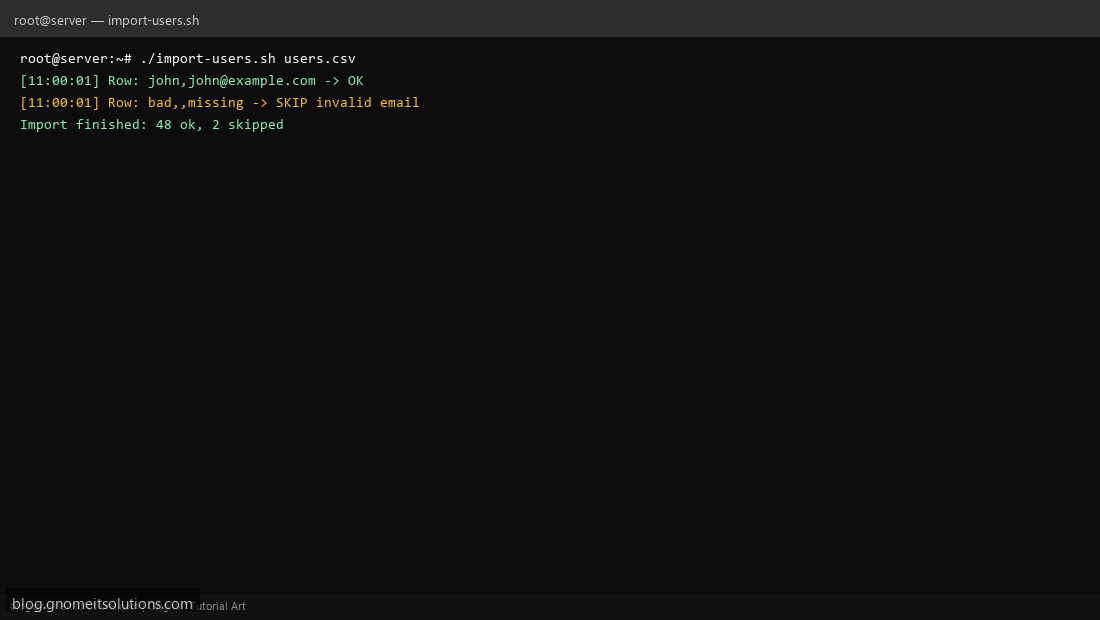
Step 4: Test manually
echo 'name,email' > /tmp/users.csvecho 'john,[email protected]' >> /tmp/users.csv./import-users.sh /tmp/users.csvRelated tutorials
- Linux Backup Shell Script: Files & Database to Remote Server
- Cron Jobs in Linux: Schedule Tasks with crontab
- SSH Key Authentication on Linux Servers
Terminal screenshot is an original illustration created for Gnome IT Solutions (blog.gnomeitsolutions.com).