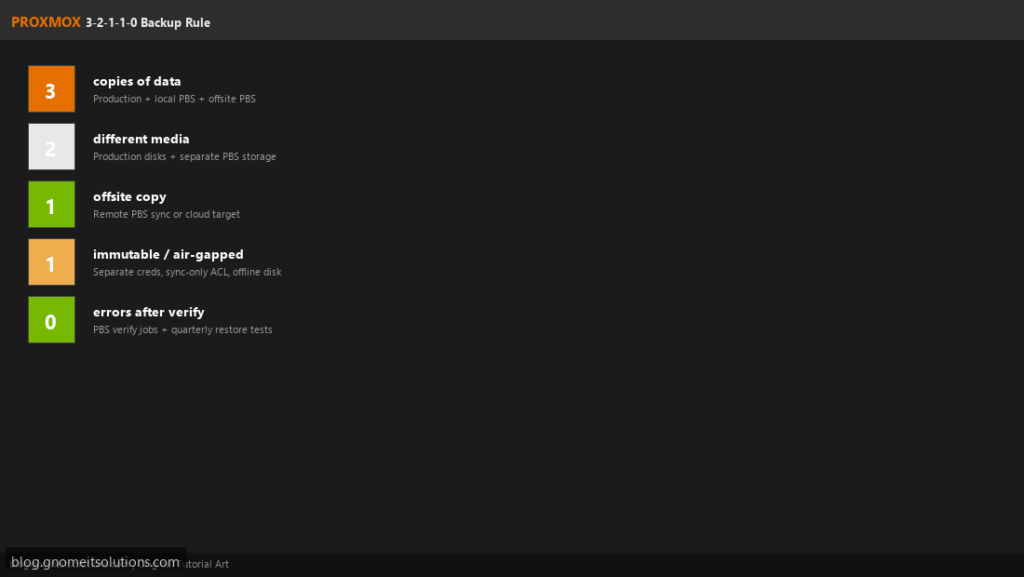
The classic 3-2-1 backup rule (3 copies, 2 media types, 1 offsite) protected data for
decades. Ransomware and cloud misconfiguration pushed enterprises to extend it:
3-2-1-1-0 adds one immutable or air-gapped copy and zero unverified backup errors.
On Proxmox VE, you can implement the full rule with Proxmox Backup Server (PBS),
vzdump fallbacks, sync jobs, and quarterly restore drills — without third-party backup software.
The rule decoded
| Digit | Meaning | Proxmox implementation |
|---|---|---|
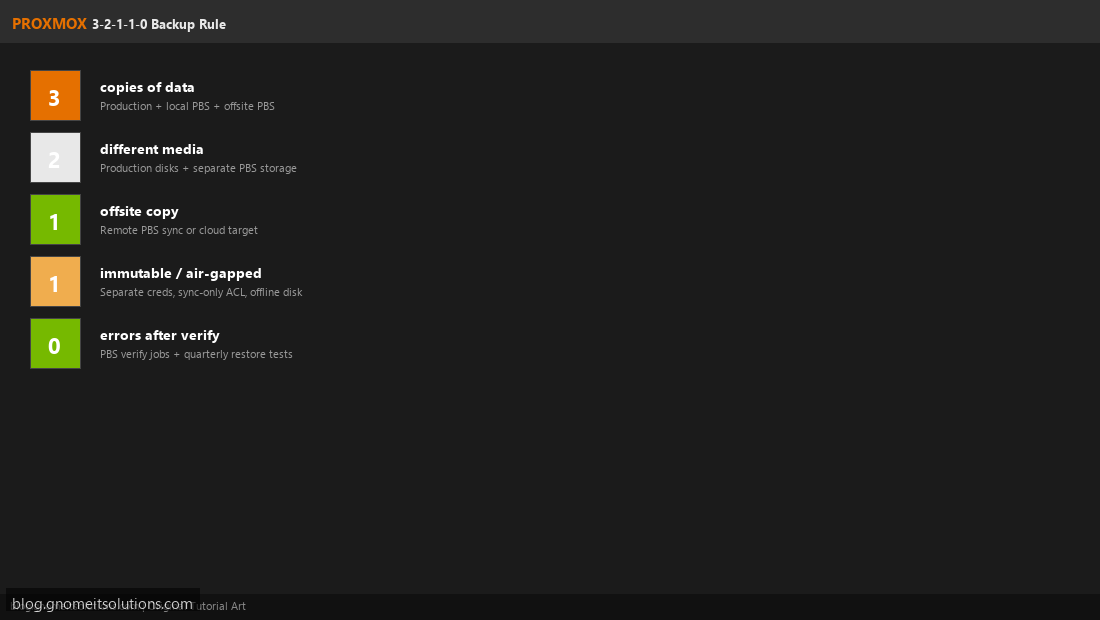
| 3 | Three copies of data | Production VM + local PBS + offsite PBS |
| 2 | Two different media | Production SSD/NVMe + separate PBS disk pool |
| 1 | One offsite copy | Remote PBS sync or cloud-hosted PBS |
| 1 | One immutable copy | Air-gapped USB export or sync-only remote ACL |
| 0 | Zero errors after verify | PBS verify jobs + documented restore tests |
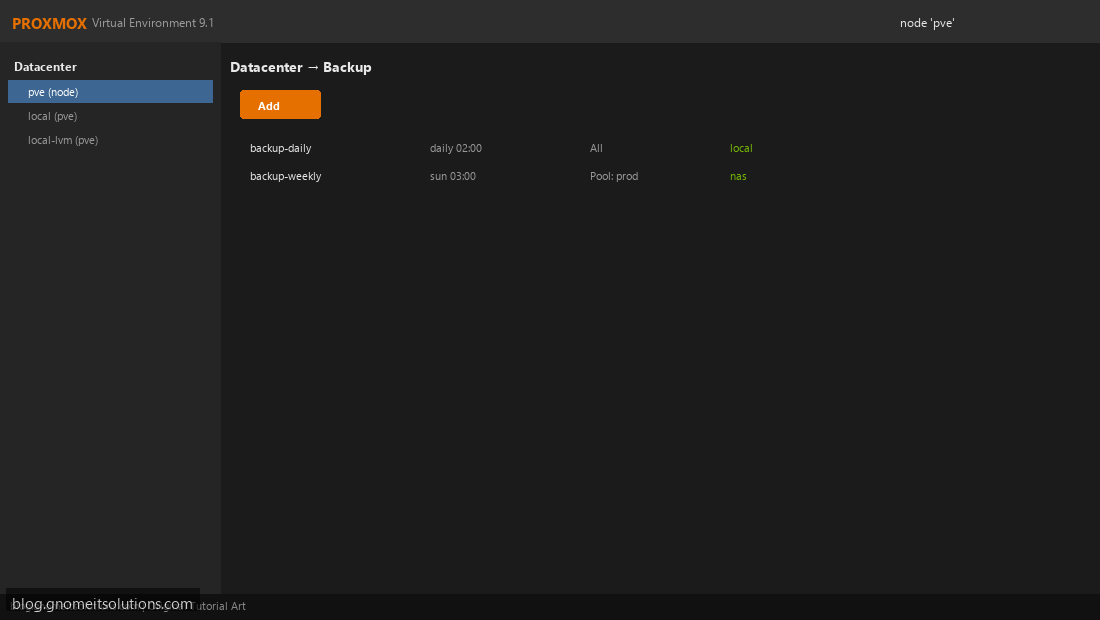
Copy 1: Production Data on Proxmox VE
Your running VMs on local-lvm, ZFS, or Ceph are copy one. This is live production — not a backup. Protect it with snapshots before risky changes, but never treat production storage as your only recovery path. Document which VMs are Critical (RPO < 1 hour) vs Standard (RPO 24h).
Copy 2: Local Proxmox Backup Server
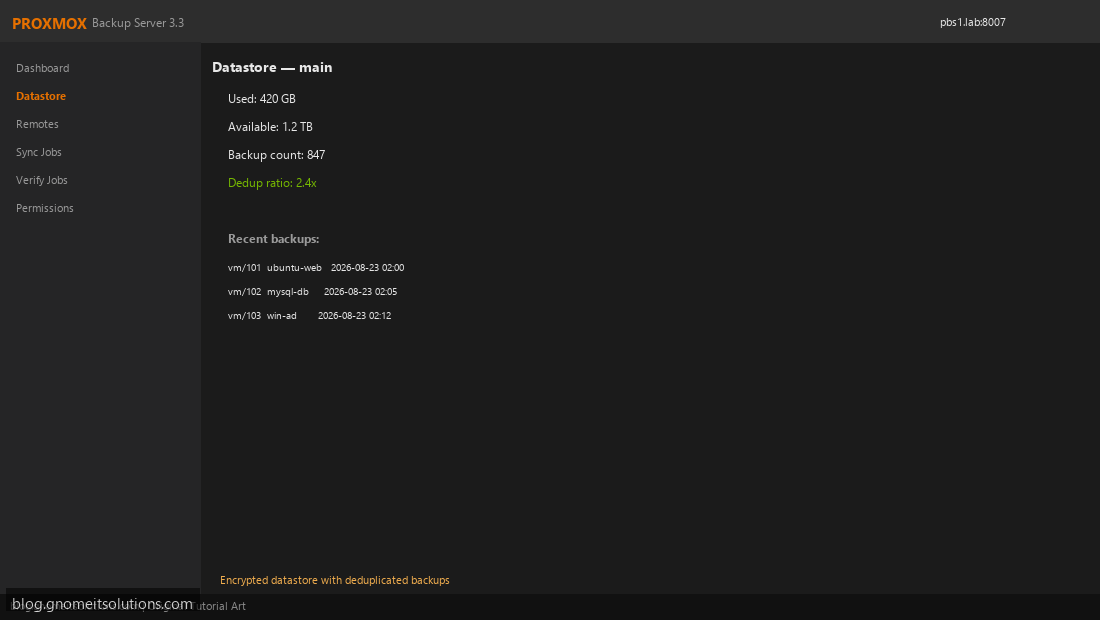
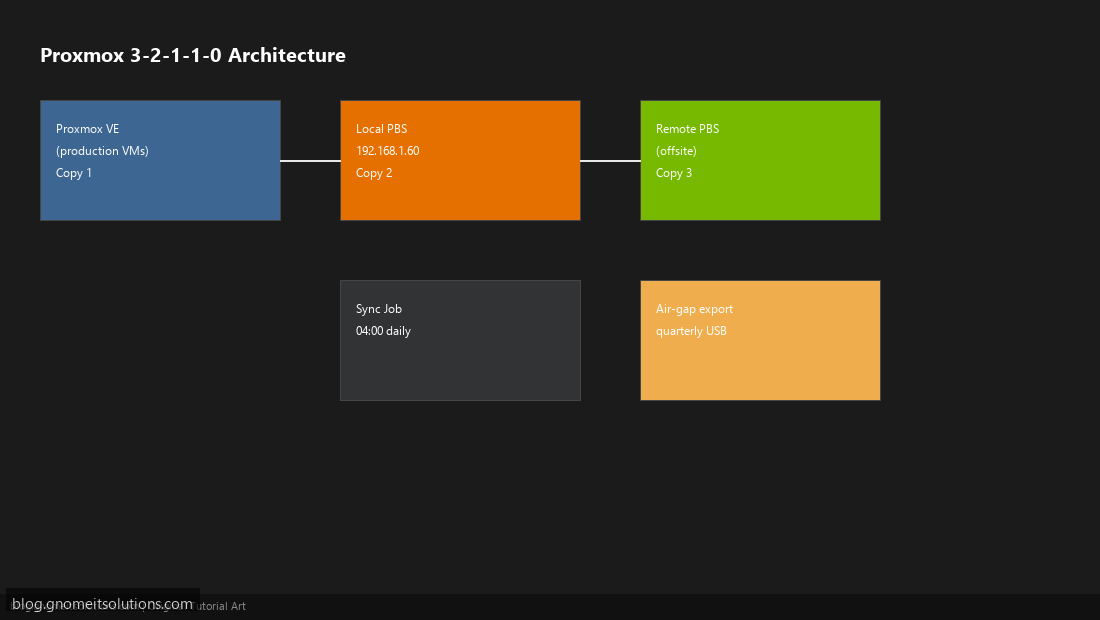
Install PBS on a separate machine (not the same disk as production VMs). Create encrypted datastore main, connect all PVE nodes, and schedule nightly snapshot-mode backups. Local PBS is your fastest restore path — target RTO under 30 minutes for single-VM recovery.
Copy 3: Offsite PBS Sync
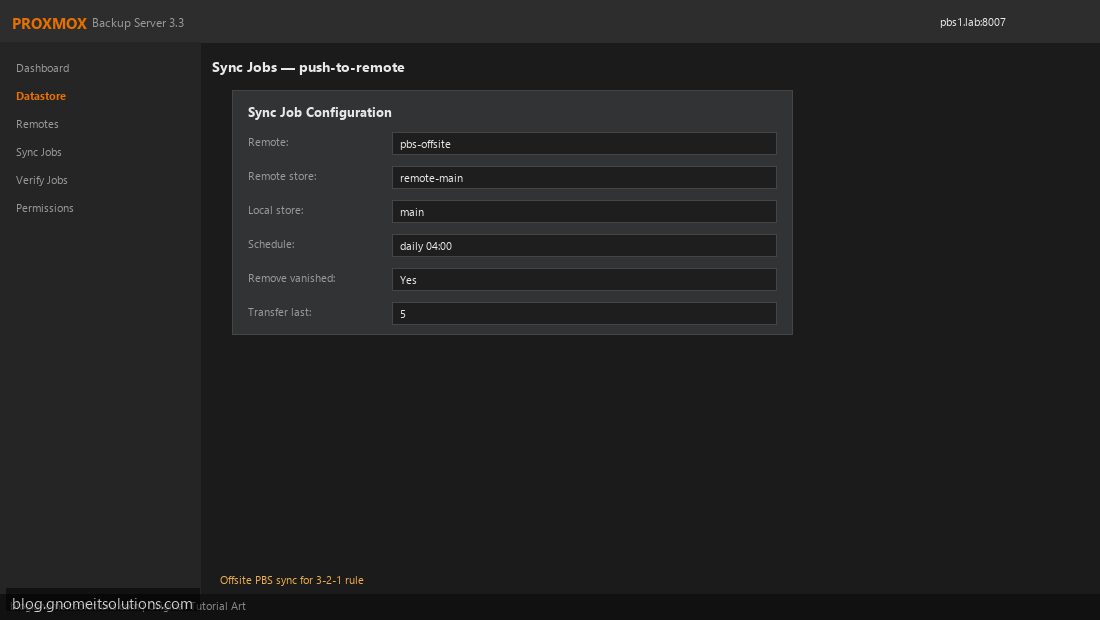
Deploy secondary PBS at a branch office, colo, or cloud VPS with restricted firewall. Create a nightly Sync Job from local main to remote remote-main. This satisfies the 1 offsite requirement. Test bandwidth — initial sync may take days for large datasets; incremental syncs are much smaller thanks to deduplication.
Two Media Types: Separate OS and Backup Disks
The 2 media rule means backup bits live on different physical media than production. Example: production VMs on NVMe pool rpool/vm, PBS datastore on dedicated HDD/ZFS pool backuppool. Avoid storing PBS datastore on the same Proxmox node disk as running VMs — a host failure would destroy both production and backups.
Immutable Copy: Air-Gap or Sync-Only ACL
The extra 1 is ransomware protection. Options: (a) quarterly export of latest backup to encrypted USB stored offline; (b) remote PBS with credentials that primary PBS uses only for sync-push — remote cannot be deleted from PVE UI; (c) object-lock compatible storage if you extend PBS with supported backends. Rotate USB exports and test mount/read annually.
Zero Errors: Verify Jobs and Restore Drills
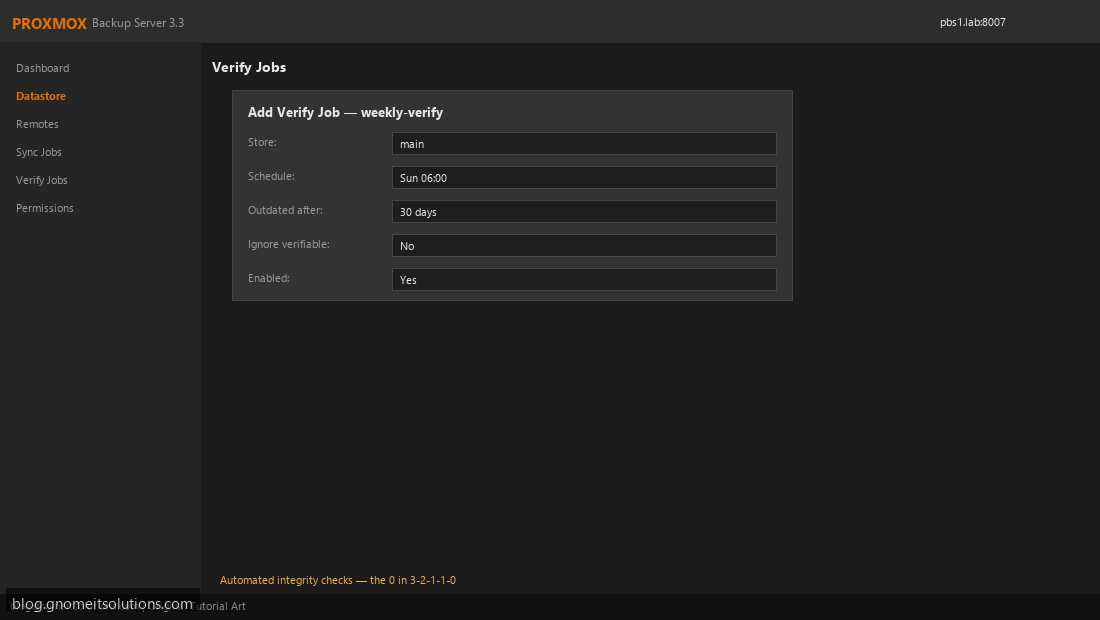
The 0 means no unverified backups. Enable PBS Verify Jobs weekly. Add a calendar reminder for quarterly full VM restore to an isolated network. Log results: VMID, backup date restored, boot time, app smoke test pass/fail. A backup you never restored is a hope, not a strategy.
Sample implementation checklist
- ☐ PBS installed on dedicated hardware with separate datastore disk
- ☐ All production VMs in nightly PBS backup job
- ☐ Remote PBS sync job configured and initial sync complete
- ☐ Verify job enabled on local and remote datastores
- ☐ Quarterly restore test documented in runbook
- ☐ Immutable USB export scheduled (if no WORM storage)
- ☐ Email alerts on backup/verify/sync failure
Homelab simplified 3-2-1
If full 3-2-1-1-0 is overkill for a homelab, start with 3-2-1: production + local PBS +
rsync to a friend’s PBS or Backblaze B2 via rclone on vzdump archives. Add verify jobs when you have more than ”
5 VMs worth protecting.
Related tutorials
Image credits: All illustrations use original Proxmox VE and Proxmox Backup Server
branded artwork created for Gnome IT Solutions — not copied from vendor marketing assets or third-party
screenshots. Tutorial text © Gnome IT Solutions.
Image credits: Screenshots are from the official
Proxmox VE documentation
(Proxmox GmbH), used under open documentation terms for educational purposes.
Tutorial text and layout © Gnome IT Solutions.